Brightspeed logo

Brightspeed Internet Review 2026

Check Brightspeed coverage near your ZIP

Enter your ZIP to review FCC-reported Brightspeed coverage near you, then confirm exact service, plans, speeds, pricing, and fees with the provider for your address.

Our reference profile identifies Brightspeed and its listed internet technologies. It does not confirm current service, plans, prices, speeds, fees, or terms at an address; use the address check and verify the final offer with Brightspeed.

Reference Max2 Gbps
Reference From$50/mo
Catalog Contract FlagNot listed
Catalog Data-Cap FlagNot listed

Brightspeed at a Glance

  • Reference technology catalog: Fiber (FTTH), DSL
  • Undated catalog price reference: $50/mo; verify the current full price
  • Undated catalog advertised maximum: 2 Gbps; verify address-level tiers
  • 3 undated catalog entries
  • Catalog lists no general contract flag; verify current terms
  • Catalog lists no general data-cap flag; verify the selected plan
  • Reference footprint spans 20 states; address eligibility is unconfirmed

Reference Catalog Facts

Undated national reference data; confirm every offer detail with the provider.

Catalog Price Reference
$50/mo
Catalog Advertised Max
2 Gbps
Catalog Technologies
Fiber (FTTH), DSL
Catalog Contract Flag
Not listed
Catalog Data-Cap Flag
Not listed
Catalog Entries
3

Customer Support and Service Experience

Brightspeed provides customer support through multiple channels including phone, live chat, and an online help center. Phone support is available for technical issues, billing questions, and service changes. Many common tasks such as paying bills, upgrading plans, and scheduling appointments can be handled through the provider's website or mobile app without waiting on hold.

For technical troubleshooting, Brightspeed support agents can run remote diagnostics on your connection to identify issues before scheduling a technician visit. If an on-site visit is required, the provider typically offers appointment windows and will credit your account for verified service outages exceeding 24 hours.

How to Choose the Right Brightspeed Plan

Selecting the best plan depends on your household's internet usage patterns. For 1-2 people doing basic browsing, email, and occasional streaming, the lowest available tier provides adequate performance. Households with 3-5 members who stream video, work remotely, and game online should consider mid-tier plans offering 300-500 Mbps. Power users with many connected devices or who upload large files benefit from gigabit-level plans.

Consider your upload speed needs as well. Remote workers participating in frequent video conferences require at least 10 Mbps upload for reliable HD video quality. Content creators and live streamers need 25-50 Mbps or more for consistent output quality. Compare upload speeds across available plans, as they vary significantly by technology type and plan tier.

Understanding Your Brightspeed Bill

Your monthly Brightspeed bill may include several line items beyond the base internet plan price. Common additional charges include equipment rental fees for modems and routers ($10-15/month), WiFi management fees ($5-10/month), broadcast TV surcharges if bundled with television, and regulatory recovery fees. Understanding each charge helps you identify opportunities to reduce your bill, such as purchasing your own compatible equipment to eliminate rental fees.

Review your bill regularly for rate increases, especially after promotional periods expire. Many customers do not notice gradual price increases that accumulate over time. If your rate has increased significantly from when you first signed up, contact the retention department to negotiate a better rate. Having competitor pricing information available when you call gives you leverage to secure discounts of $10-30 per month in many cases.

Troubleshooting Common Brightspeed Issues

If you experience connectivity problems with Brightspeed, start with the basics: power cycle your modem and router by unplugging both for 30 seconds, then reconnecting the modem first and waiting for all lights to stabilize before plugging in the router. This simple step resolves the majority of intermittent connection issues by clearing temporary memory problems and refreshing your network connection.

For persistent speed issues, test your connection using a wired Ethernet connection directly to the modem to rule out WiFi problems. If wired speeds are normal but WiFi is slow, the issue is with your wireless network configuration or equipment rather than the internet service itself. Check for firmware updates on your router, reduce interference by moving the router away from other electronics, and consider upgrading to a WiFi 6 router if yours is more than 3-4 years old.

Ready to Order? Call or Click Below

AT&T
Cox

Disclosure: Some of the links and phone numbers on this page are affiliate links, meaning we may earn a commission if you make a purchase or sign up for a service. Our recommendations are based on independent research and testing, and our editorial content is not influenced by advertisers or affiliate partnerships. Learn more about our editorial process.

Making the Right Choice

Selecting the right internet provider is a decision that impacts your daily digital life for months or even years to come. When evaluating Brightspeed alongside other options in your area, consider not just the advertised speed and price, but the total value proposition including reliability, customer support quality, equipment costs, and contract flexibility. Read recent customer reviews from users in your specific area, as service quality can vary between regions. Take advantage of any trial periods or money-back guarantees to test the service before making a long-term commitment. Remember that the cheapest plan is not always the best value when you factor in hidden fees, data caps, and potential speed throttling during peak hours. Investing a little more each month for a reliable, high-speed connection often pays dividends in productivity, entertainment quality, and overall household satisfaction with your internet service.
About the Author: Pablo Mendoza is a Senior Telecom Analyst at InternetProviders.ai with over a decade of experience evaluating broadband services. His work focuses on helping consumers navigate internet plan options through data-driven analysis and unbiased provider comparisons.

Data and methodology details are available on our research methodology page. Speeds, prices, and availability are verified against provider websites and FCC broadband data as of 2026.

Sources

This content references data from FCC Broadband Map, U.S. Census Bureau, Brightspeed. Pricing and availability are subject to change.

Market Context

The broadband market concentration in the United States served by providers like Brightspeed varies based on population density and infrastructure investment. According to FCC broadband deployment data, median household income and population density are key factors in service availability and pricing. The BEAD (Broadband Equity, Access, and Deployment) program may expand options in underserved areas of the United States.

Brightspeed Plan Details

We do not yet have a complete FCC Broadband Consumer Label on file for Brightspeed, so the standardized price, speed and fee breakdown is not shown here. Any plan references elsewhere on this page are undated catalog data — confirm current pricing, speeds and terms with Brightspeed before ordering.

Brightspeed National Reference Plan Catalog

These undated catalog examples are not proof of a current offer at your address. Confirm the plan, price, speed, features, fees, and eligibility before ordering.

Brightspeed 500

500 Mbps

$50/moReference price — verify for your address
  • No annual contract
  • No data caps
  • Wi-Fi 6 router included

Brightspeed 1 Gig

1 Gbps

$65/moReference price — verify for your address
  • No annual contract
  • No data caps
  • Wi-Fi 6 router included

Brightspeed 2 Gig

2 Gbps

$85/moReference price — verify for your address
  • Symmetrical speeds
  • No data caps
  • Wi-Fi 6E router included

Recommended Equipment for Brightspeed

Shop all on Amazon →
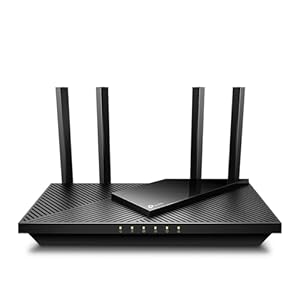
TP-Link AX1800 WiFi 6 Router#1 Best Seller
TP-Link AX1800 WiFi 6 RouterEditor’s pick

The Archer AX21 delivers WiFi 6 speeds up to 1.8 Gbps with dual-band connectivity. OFDMA and MU-MIMO handle multiple devices without slowdown. Easy Tether app setup in under 5 minutes.

WiFi 6 (802.11ax)Up to 1.8 Gbps1,500 sq ft coverage
Check Price on Amazon

Budget pick for homes under 1,500 sq ft

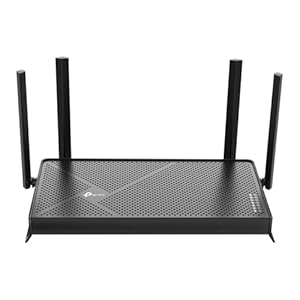
TP-Link BE3600 Wi-Fi 7 Router
TP-Link BE3600 Wi-Fi 7 RouterEditor’s pick

The latest Wi-Fi 7 standard delivers 2x faster speeds than WiFi 6. MLO (Multi-Link Operation) reduces latency for gaming and video calls. 320 MHz channels for maximum throughput.

WiFi 7 (802.11be)Up to 3.6 Gbps2.5G WAN port
Check Price on Amazon

Future-proof WiFi 7 for power users

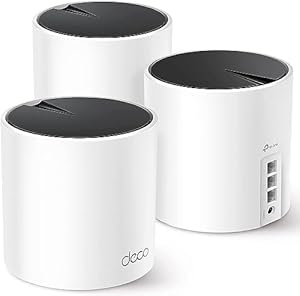
TP-Link Deco X55 Mesh System (3-Pack)Best Seller
TP-Link Deco X55 Mesh System (3-Pack)Editor’s pick

Three compact mesh nodes blanket your entire home with seamless WiFi 6. Automatically routes traffic to the fastest node. Supports 150+ devices with zero dead zones.

WiFi 6 AX30006,500 sq ft coverage3 units ($32 each)
Check Price on Amazon

Whole-home WiFi coverage up to 6,500 sq ft

As an Amazon Associate, InternetProviders.ai earns from qualifying purchases. Prices and availability change frequently and are shown on Amazon.

Frequently Asked Questions

How much does Brightspeed internet cost per month?
Our undated national reference catalog lists $50/mo as a starting point, but it is not a current or address-confirmed offer. Ask Brightspeed to confirm the plan, full monthly price, promotion, fees, and eligibility for your address.
What speeds does Brightspeed offer?
The reference catalog lists advertised speeds up to 2 Gbps across Fiber (FTTH) and DSL products. That does not confirm a speed tier at your address; verify current service and expected performance with Brightspeed.
Does Brightspeed require a contract?
Contract terms can vary by product, market, and promotion. The undated reference catalog does not list a general contract requirement, but Brightspeed must confirm the current terms and any cancellation fee for the exact offer.
Does Brightspeed have data caps?
Data policies can vary by product and market. The undated reference catalog does not list a general data cap, but Brightspeed must confirm the current allowance, overage policy, and unlimited-data options for your address.
Where is Brightspeed available?
The reference profile describes a footprint spanning 20 states, but a state or ZIP footprint does not prove service at a home. Enter your ZIP code, then complete an address check with Brightspeed.
How do I contact Brightspeed customer service?
Use Brightspeed's official support page to confirm current phone, chat, app, and service-hour options. Contact methods and hours can change.

Ready to order Brightspeed?

Check availability and compare plans at your address.

Popular Brightspeed Research

Compare plans, state availability, and related guides for shoppers researching Brightspeed.