What Spectrum Is
Spectrum is the consumer internet, TV, and phone brand of Charter Communications, one of the largest cable operators in the United States. It sells residential internet service over a hybrid fiber-coaxial (HFC) network that Charter has built up over decades, largely through acquisitions of older regional cable systems.
Charter publishes its own footprint claims — a number of states served, a number of homes passed — but that is a provider-published scope claim, not an FCC-verified figure and not a guarantee that service reaches your specific address. Treat any "available in X states" or "reaches X million homes" statement you see in marketing materials as provider-coverage framing, one step below an address-level confirmation, until you've run your own check (see the verification section below).
This guide treats Spectrum as a service you'll live with for years, not just a sign-up decision. The mechanics that matter most — what your bill looks like in month 13, what a technician visit actually involves, what "no contract" does and doesn't protect you from — get more space here than plan names or price tiers, because those are the parts that determine whether you're happy with the service a year from now.
How Spectrum's Network Works: HFC Explained
Spectrum runs on hybrid fiber-coaxial infrastructure. In plain terms: fiber-optic cable carries the signal from Charter's core network out to a neighborhood node, and then the final stretch into your home runs over the same type of coaxial copper cable that historically carried cable TV.
This is different from a "fiber-to-the-home" (FTTH) network, where the fiber line runs all the way to a box on the outside of your house. In an HFC system, everything downstream of the neighborhood node — including your specific street — rides on a shared coaxial segment, and that last stretch behaves like coax, not fiber: its capacity is divided among the households connected to it and it carries coax's structural tradeoffs. Our fiber vs. cable internet guide covers this distinction in more general depth.
DOCSIS is the technical standard that governs how data moves over that coaxial last mile. Charter has upgraded its network through successive DOCSIS versions over the years, which is part of why plan capabilities can vary by neighborhood: an area on an older node upgrade cycle may support different service tiers than one that was upgraded more recently. This is also a reason two houses on the same street, on different legs of the local cable plant, can sometimes see different available tiers.
Spectrum vs Fiber: What the Technology Difference Means for You
The HFC-versus-fiber distinction isn't abstract — it shows up in a few concrete ways once you're a subscriber:
Upload versus download. Coaxial cable architecture has historically allocated more of its capacity to downstream (download) traffic than upstream (upload). Fiber-to-the-home networks more commonly offer symmetrical service, where upload and download capacity are closer to equal — Verizon Fios is a commonly cited symmetrical-fiber reference point. If your household does a lot of video calling, large file uploads, cloud backup, or live streaming from home, ask specifically about the upload speed on any plan you're considering — don't assume it scales with the download number the way it would on a fiber connection.
Consistency under shared-node load. Because a coaxial segment is shared among the households connected to the same node, performance can dip during peak local usage hours in a way that isn't as pronounced on point-to-point fiber connections. This doesn't mean HFC service is unreliable — most HFC deployments handle typical household demand fine — but if you've had specific complaints about slow evenings, it's a structural reason worth understanding rather than an isolated equipment fault.
Latency. Both technologies can deliver low latency for typical browsing and streaming. The difference tends to matter more for latency-sensitive uses like competitive online gaming or real-time remote work tools, where fiber's more consistent path has an edge in some deployments. If that's a priority, ask what specific latency figures Spectrum can quote for your address rather than relying on general technology reputation.
None of this makes HFC a worse choice by default — it depends on what you do online and what alternatives actually reach your address. The point is to know which tradeoffs you're accepting, not to treat "fiber" as an automatic upgrade.
Contract Posture: What "No Contract" Actually Means
Spectrum's residential plans are commonly structured as month-to-month service with no fixed-term contract. That has a specific, narrow meaning: there is no early termination fee (ETF) for canceling, and you aren't locked into a set number of months by a signed agreement.
What "no contract" does not mean:
- It doesn't mean your price is fixed. Promotional pricing periods still exist and still expire on a schedule, even without a contract attached to them.
- It doesn't mean your service terms can't change. Charter can adjust rates, fees, and policies for month-to-month customers with notice, the same way it can for anyone else.
- It doesn't protect you from equipment or installation fees, which are billed separately from the service contract question.
The practical upside of no-contract structure is flexibility: you can cancel without a penalty if your circumstances change or a better option becomes available at your address. The practical risk is that nothing in the "no contract" framing obligates Charter to warn you clearly when your promotional rate is about to end — which is exactly why the next section matters more than the contract question itself. Our guide to how internet contracts and promotional pricing generally work covers this mechanic across providers, not just Spectrum.
The Bill After the Promo Period: What to Expect and How to Check It
This is the single most consequential mechanic on this page, and the one most review pages skip past with a warning bullet instead of a walkthrough.
The pattern. Most Spectrum promotional offers run for a fixed initial period, after which the rate reverts to a standard (non-promotional) rate for that plan tier. The standard rate is higher than the promotional rate — that's true of essentially every cable and fiber provider's promo structure, not a Spectrum-specific quirk. The exact promotional length and the exact standard rate for your plan and address vary by market and change over time; don't rely on a number from an old bill or a friend's experience.
How to find your own renewal date and new rate before it happens:
1. Log into your Spectrum online account or app and look for a "billing" or "account details" section — many providers display the promotional end date and the rate that will apply afterward directly there. 2. If it isn't shown online, call the number on your bill (not a marketing number from a search ad) and ask directly: "What is my current promotional rate, when does it end, and what is the standard rate for my plan afterward?" Ask for that in writing via email or account message if you can. 3. Set your own calendar reminder roughly 30 days before that date — don't wait for a bill spike to notice.
What to do when the promo is ending or has ended:
- Call and ask if a new promotional offer is available for your account before you accept the standard rate. Retention offers are common but not guaranteed, and availability varies by market and account history — treat any specific number a rep quotes you as valid for your account only, not as a public rate.
- Ask what happens if you decline a new offer: does service continue at the standard rate, or is there a required plan change?
- If you're not offered anything workable, this is the point to run a fresh availability check on alternatives at your address (see the verification section) before deciding whether to renegotiate, switch plans, or switch providers.
Bookmark or screenshot whatever the account portal shows you today about your rate and renewal date — a record proves useful if there's a billing discrepancy later.
Equipment and Recurring Fees: What's Included, What Costs Extra
Rather than tracking equipment costs across separate installation, hardware, and Wi-Fi sections, use this as one checklist against any quote you receive:
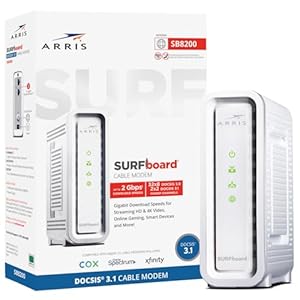
- Modem/gateway: Is a modem or combined modem-router gateway included in the quoted price, or billed as a separate monthly equipment charge?
- Wi-Fi router: If the gateway doesn't include Wi-Fi, or you want mesh coverage, is a separate Wi-Fi equipment fee charged, and can you use your own router instead to avoid it?
- Installation/activation fee: Is there a one-time charge for professional installation, and a separate (usually lower or waived) charge for self-installation?
- Self-install kit shipping: If you self-install, is the equipment mailed to you, and is there a shipping or kit fee?
- Early equipment return: If you cancel, what is the window to return rented equipment before a non-return fee is charged, and where can you return it?
Ask a rep to itemize all of these against the specific plan you're being quoted, in writing, before you agree to service — a verbal "no extra fees" statement is not the same as a written breakdown.
Service Model: Installation, Support, and What a Technician Visit Involves
Self-install path. In many cases you can order equipment shipped to your home, connect the modem/gateway to an existing coaxial outlet yourself, and activate service through the provider's app or website. This generally works when there's already an active or recently-active coax outlet at your address and you're comfortable following setup steps without a visit.
Professional install path. A technician visit is typically required (or recommended) when there's no existing usable coax outlet, when new wiring needs to be run, or when you'd simply rather not troubleshoot connectivity issues yourself. Expect the technician to run or activate the line to a jack, connect and test the modem/gateway, and confirm speeds at the point of installation — ask them to test speed at the router itself, not just on your phone over Wi-Fi, since Wi-Fi signal strength in your specific home layout is a separate variable from what the connection delivers to the gateway.
Support channels. Ongoing support is generally available through a mobile app (for outage checks, bill pay, and basic troubleshooting), phone support, and in some markets physical retail stores for equipment swaps or account questions. If you have a recurring issue, ask specifically whether it's been logged as a ticket tied to your account and node — a note that only lives in a phone call is easy to lose track of on both sides.
How to Verify Spectrum Availability at Your Address
Don't treat any single check as final. Each level below tells you something different:
1. ZIP-estimate: Entering just your ZIP code on a comparison or marketing site gives you a rough sense of which providers serve the general area. This is the least reliable level — ZIP codes can span areas with very different actual coverage. 2. FCC-reported: Federal broadband coverage maps aggregate provider-submitted data at a more granular level than ZIP codes, but they're still based on provider self-reporting and can lag real-world deployment or overstate reach in some areas. If you're wondering whether new fiber competition is coming to your area, our BEAD funding tracker shows planned federal broadband buildout. 3. Provider-coverage: Checking directly on Spectrum's own site or through a rep, without entering your exact unit/address, tells you the provider believes it serves your general area — still not an address-specific confirmation. 4. Provider-confirmed-address: Entering your full street address (including apartment/unit number if applicable) into Spectrum's own ordering flow, or having a rep look it up by address, gets you a specific yes/no for that address as far as the provider's records show. 5. User-confirmed-orderable: The only fully certain level is actually placing an order (or scheduling an install) and having it confirmed — some addresses show as serviceable in provider records but turn out to have a real-world gap (a private easement, a recent outage, aerial vs. underground plant issues) that only surfaces at that stage.
If a phone rep tells you something that conflicts with what an online address check showed, ask them to explain the discrepancy and get their answer in writing (email or account note) rather than treating the more optimistic answer as automatically correct.
Where Spectrum Is a Strong Fit vs Where to Compare Alternatives
Answer these about your own household rather than looking for a superlative claim:
Consider Spectrum a strong candidate if:
- You value having no fixed-term contract and the flexibility to cancel without an early termination fee.
- Your household's upload needs are modest (typical browsing, streaming, occasional video calls) rather than upload-heavy (large file transfers, hosting, heavy cloud backup).
- A fiber alternative either doesn't reach your address at a provider-confirmed-address level, or costs meaningfully more for comparable service.
- You want a provider with an established, long-running physical network and widespread technician/support infrastructure in your region.
Compare alternatives more seriously if:
- Your work or household routinely needs strong, consistent upload performance — AT&T and Verizon Fios are common fiber alternatives worth checking where they're built.
- A fiber provider is confirmed available at your specific address and priced competitively — symmetrical fiber service is often structurally advantageous for the reasons covered above.
- You've had recurring node-level slowdown complaints in your specific building or block that a provider can't resolve, and a same-technology competitor like Xfinity or Cox is also available for comparison.
- Your address doesn't reach fiber but a fixed-wireless option like T-Mobile Home Internet is available — a non-HFC, non-fiber alternative worth surfacing.
- Your household is highly sensitive to bill increases and you'd rather lock in value with a provider whose promotional-to-standard rate jump is smaller for your target plan — a detail worth asking about directly for any provider you're comparing, since it isn't always advertised.
For the full lineup beyond these examples, browse every provider we track.
Checking Your Service Later: Outages and Account Health
Once you're a subscriber, there's a reason to come back to this page rather than treating your sign-up as a one-time decision:
Checking for an outage vs. a local equipment issue. Before assuming a problem is on your end, check Spectrum's outage status for your area. A widespread outage typically means waiting it out rather than troubleshooting your own equipment; if the outage map shows nothing but you're still having issues, that points toward a local equipment or wiring problem worth a support call.
Periodic account checks worth doing every few months:
- Confirm your current rate against what you expect, especially around any promotional end date you tracked earlier.
- Check whether your plan tier is still the best fit — usage patterns change, and a plan chosen years ago may no longer match how your household uses the connection.
- Review your equipment fees for anything that's crept onto the bill without a clear explanation, and ask for an itemized breakdown if something looks unfamiliar.
Treating your internet service as something to check in on periodically, rather than something you set up once and ignore, is the most reliable way to avoid a surprise bill or an outdated plan.
Want to see exactly what Spectrum offers at your address, or compare it against alternatives? Check availability at your address
FAQ
Does Spectrum require a contract? Spectrum's residential plans are commonly structured as month-to-month service with no fixed-term contract, meaning there's typically no early termination fee for canceling. This does not mean your promotional price is locked in, or that rates and policies can't change with notice — "no contract" only addresses the cancellation-penalty question, not pricing stability. Confirm the specific terms attached to your plan directly with Spectrum before signing up.
Is Spectrum internet cable or fiber? Spectrum runs on a hybrid fiber-coaxial (HFC) network, where fiber carries the signal to a neighborhood node and the final stretch into the home runs over coaxial cable — this is different from a fiber-to-the-home (FTTH) network where fiber runs all the way to the house. That last coaxial segment is shared among nearby households and typically favors download over upload capacity compared to symmetrical fiber service. Whether that distinction matters to you depends on your household's upload needs and what fiber alternatives, if any, are confirmed available at your specific address.
How do I know if Spectrum is actually available at my address? Availability confidence comes in levels, and they are not interchangeable: a ZIP-code check on a comparison site is the least reliable (ZIP-estimate), FCC broadband maps are somewhat more granular but still based on provider self-reporting (FCC-reported), and Spectrum's own site checking your general area is provider-coverage level. The only levels that confirm your specific address are entering your full street address into Spectrum's ordering flow (provider-confirmed-address) or actually placing and having an order confirmed (user-confirmed-orderable). Treat anything below address-level confirmation as directional, not final.
What happens to my Spectrum bill after the promotional period ends? Most Spectrum promotional offers run for a fixed initial period, after which the rate reverts to a standard, non-promotional rate that is higher than the promo rate — this is standard practice across cable and fiber providers, not unique to Spectrum. The exact length of your promotional period and the standard rate that follows are account- and market-specific, so check your own account portal or call the number on your bill to get those figures in writing rather than relying on a past bill or someone else's experience. Setting a reminder roughly 30 days before your promo is expected to end lets you ask about a renewal offer before the rate jumps.
Do I need a technician visit to install Spectrum, or can I self-install? Self-installation is often possible when there's already an active or recently-active coaxial outlet at the address — you connect the shipped equipment yourself and activate service through the app or website. A professional installation visit is typically required or recommended when no usable coax outlet exists, when new wiring needs to be run, or when you'd prefer not to troubleshoot connectivity yourself. Ask upfront which path applies to your address so you can plan around any associated installation fee.
Why might my Spectrum speed slow down at certain times of day? Because Spectrum's HFC network shares coaxial capacity among the households connected to the same local node, performance can dip during peak local usage hours in a way that's less pronounced on point-to-point fiber connections. This is a structural characteristic of shared-node cable architecture, not necessarily a sign of an equipment fault — but if slowdowns are frequent and time-correlated, it's worth flagging to support as a possible node-congestion pattern rather than troubleshooting only your in-home equipment.
Is Spectrum a good choice for gaming or video calls? Both cable and fiber technologies can deliver low latency for typical browsing and streaming, but latency-sensitive uses like competitive online gaming or real-time video calls can be more affected by upload capacity and consistency under shared-node load, both of which are structural characteristics of HFC cable networks. This doesn't automatically rule Spectrum out — many households run these activities on cable without issue — but if you have specific performance requirements, ask Spectrum what latency and upload figures it can quote for your address rather than relying on general technology reputation.
How We Verified This Information
This page describes mechanics — how billing, equipment, installation, and availability-checking generally work — based on how Spectrum's service model and industry-standard HFC network technology function. Specific figures (pricing, speeds, promotional terms, data caps, coverage percentages) are intentionally left out of this page and should be sourced from current, dated provider materials or a direct account/rep check before publication, since these change frequently and vary by market and account.
To independently confirm any fact on this page before acting on it: check your own Spectrum account portal for your specific rate and terms, run an address-level availability check directly with the provider, and treat any number more than a few months old — including anything you find on this page — as due for re-verification.
Bottom line
Spectrum's month-to-month flexibility and broad HFC network make it a reasonable default where fiber hasn't arrived, but "no contract" only protects you from a cancellation fee — it says nothing about what happens to your bill once the promotional rate expires. The two habits that matter most: run a provider-confirmed-address check before you sign, and calendar your promo-rate expiration date so a standard-rate jump never arrives as a surprise.