Bottom line up front
Frontier Fiber is worth serious consideration if it's actually buildable to your address and your household's use case lines up with what fiber does well: consistent upload speed, low latency, and a network built for a lot of devices running at once. The honest answer to "is it worth it" isn't a flat yes or no — it depends on two things a generic review can't answer for you: whether Frontier's fiber network has actually reached your specific address (as opposed to your ZIP code or general area), and whether the plan tier you'd realistically pick matches what your household does online. The rest of this review walks through both, plus what changes once the promotional period ends and what the announced Verizon acquisition of Frontier could mean for a new customer. See Frontier's provider hub for the current plan lineup at your address once you've read through the decision factors below.
Who Frontier Fiber is actually right for
Frontier sells its fiber plans in tiers, and which one makes sense depends on how your household actually uses its connection — not on which tier has the biggest number attached to it.
- Streaming-heavy households running multiple 4K streams, smart TVs, and streaming boxes at once benefit most from fiber's ability to hold a consistent connection under simultaneous demand, rather than from any single top-line speed figure.
- Remote and hybrid workers should weight upload speed and latency more heavily than download speed. Fiber's symmetrical design (upload and download closer to equal) matters more for video calls, large file uploads, and cloud-based work tools than it does for casual browsing.
- Gamers care about latency and jitter — how stable the connection is under load — more than peak throughput. A fiber connection with a wired setup to the router typically outperforms the same plan over Wi-Fi for competitive play.
- Multi-unit and larger households with many connected devices (phones, laptops, tablets, smart-home gear, gaming consoles) benefit from higher-tier plans mainly because more devices are sharing bandwidth simultaneously, not because any one device needs more speed on its own.
Exact plan names, tier structures, and pricing should be confirmed directly on Frontier's site or by phone for your address, since availability and offered tiers vary by market.
The bankruptcy-to-fiber turnaround, briefly
Frontier filed for Chapter 11 bankruptcy protection in 2020, emerged in 2021, and used the reorganization to commit to an aggressive fiber-first buildout strategy — shifting investment away from its older copper/DSL footprint toward all-fiber expansion. That turnaround is the reason Frontier's fiber product exists in its current, more competitive form today, and it's worth understanding as context rather than as a reason to hesitate.
More relevant to a shopper right now: Verizon has publicly announced an agreement to acquire Frontier. Whether that deal has closed by the time you read this is worth checking directly — either company's newsroom or investor pages will state the current status. What it means practically: a new customer signing up should expect that account terms, app experience, or network investment priorities could shift as the ownership transition works through, whatever stage it's at when you sign. This isn't by itself a reason to avoid signing up, but it is a reason to revisit this page periodically rather than treat any single snapshot as permanent — treat it as a living reference, not a one-time listicle.
Plans and how to evaluate them
Rather than quoting numbers that go stale, here's what to actually compare when you pull up Frontier's plan list for your address:
- Speed tier structure: Frontier typically offers a range of tiers from an entry-level fiber plan up through multi-gig tiers. Compare tiers based on your household's simultaneous-use pattern (see the section above), not the biggest number on the page.
- Symmetrical vs. asymmetrical speeds: Confirm whether the specific tier you're considering offers matching upload and download speeds — this is one of fiber's core advantages over cable, but not every ISP markets every tier the same way.
- Introductory vs. standard rate: Nearly all fiber ISPs, Frontier included, use a promotional rate for an initial period that reverts to a standard rate afterward. Get the exact promotional period length and the standard rate in writing before signing — those numbers are account- and market-specific, not something a general review can print reliably.
- Bundled equipment and add-ons: Note whether a router/gateway rental fee, whole-home Wi-Fi add-on, or security software is bundled into the advertised price or billed separately — this is one of the most common places an advertised price and a first bill diverge.
- Data caps: Confirm directly whether your plan and market have any data cap or usage policy attached before assuming unlimited use.
What installation and setup actually involve
A typical Frontier Fiber installation follows a predictable sequence, though exact timing varies by market and by whether fiber has already been run to your building.
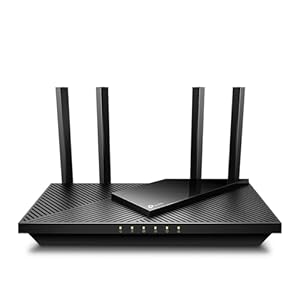
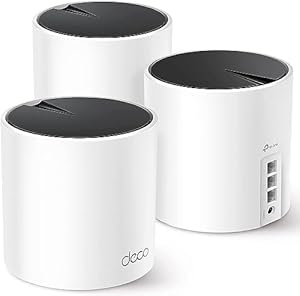
1. Scheduling: After you place an order, Frontier schedules a technician appointment. In many markets this happens within a window of days rather than the same day, especially if the drop line to your home hasn't been installed yet. 2. The technician visit: A technician runs (or confirms) the fiber line to your home, installs an Optical Network Terminal (ONT) — the device that converts the fiber light signal into a usable internet connection — and connects it to a router, either Frontier's provided gateway or your own compatible router. 3. Setup and testing: The technician typically activates service on-site and verifies the connection is working before leaving, including basic Wi-Fi setup if you're using Frontier's equipment. 4. Own-router option: If you prefer to use your own router instead of Frontier's provided gateway, ask before the appointment whether your router is compatible with Frontier's ONT and whether using your own equipment affects any bundled fees. Confirm this detail directly with Frontier for your account before your installation appointment.
Ask about the exact appointment window, whether a technician visit is required in your specific case (some multi-unit buildings are pre-wired), and what a missed-appointment policy looks like before you commit to a date.
Speed and reliability in practice
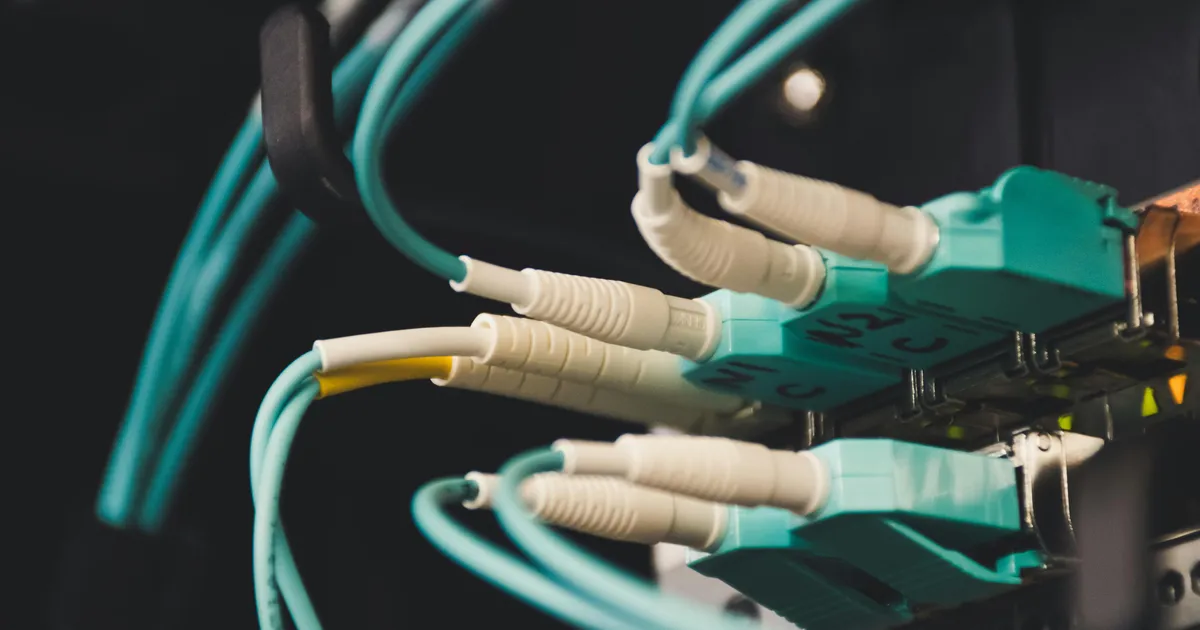
Fiber's core technical advantage is that it delivers data as pulses of light through glass fiber rather than electrical signals through copper or coaxial cable — our fiber internet explainer covers the underlying mechanics in more depth. In practice that means two things: less signal degradation over distance, and typically lower latency than cable or DSL. Symmetrical speed tiers mean uploads aren't artificially capped well below downloads, which matters for video calls, cloud backups, and content creation.
That said, advertised speeds are a maximum under ideal conditions, not a guarantee. A few things worth understanding before you judge Frontier's performance against a speed test:
- Wired vs. Wi-Fi matters enormously. A speed test run over Wi-Fi, especially at a distance from the router or through walls, will almost always show lower numbers than the same test run over an ethernet cable. If your Wi-Fi speed test looks disappointing, test wired before concluding the service is underperforming.
- A single speed test is a snapshot, not a trend. Network conditions vary by time of day and by what else is running on your network. Run tests at multiple times before drawing conclusions.
- A speed test tells you throughput, not the whole experience. It doesn't directly measure latency spikes, jitter, or packet loss, which matter more for gaming and video calls than raw megabits.
- Compare your result to the plan you're paying for, not to the highest tier Frontier sells. If you're on an entry-level tier, a mid-tier speed test result is expected, not a problem.
Contracts, fees, and the post-promo reality
The most common source of buyer's remorse with any fiber ISP, Frontier included, isn't the service itself — it's not knowing what changes after the promotional period. Before signing, get clear, written answers to:
- Contract length, if any: Some fiber plans are offered without an annual contract; others include a term agreement with an early termination fee. Confirm which applies to your plan before you sign, since fiber ISPs increasingly offer both structures side by side.
- Price after the promotional period: Ask specifically what the monthly rate becomes once the introductory pricing ends, and get it in writing or via the order confirmation email, not just verbally from a sales rep.
- Equipment fees: Confirm whether the router/gateway is included, a flat monthly rental, or a one-time purchase option, and whether that fee is included in the advertised promotional price.
- Installation fees: Ask whether a one-time installation or activation fee applies and whether it can be waived through a current promotion.
- Early termination fee structure: If there's a term agreement, ask exactly how the early termination fee is calculated — a flat fee versus prorated by remaining months can make a meaningful difference if your plans change.
Fiber ISPs commonly follow a "low introductory rate, higher standard rate once the promotional period ends" pattern industry-wide — this isn't unique to Frontier, but it's exactly the kind of detail that gets glossed over at the point of sale.
Checking availability at your address
This is the step most review sites skip, and it's the one that actually determines whether anything else on this page applies to you. Availability information comes in different levels of confidence, and knowing which level you're looking at matters:
- ZIP-estimate: A ZIP-code-level search tells you fiber service exists somewhere in your ZIP code. It does not confirm your specific address is passed by fiber.
- FCC-reported: Federal broadband maps aggregate provider-submitted coverage data. This is broader regulatory reporting, useful for a general sense of buildout but still not address-specific confirmation.
- Provider-coverage: Frontier's own coverage map, searched by address, narrows things further but reflects the provider's self-reported footprint, which can lag actual construction in newly built areas.
- Provider-confirmed-address: When you enter your exact address on Frontier's order flow and it returns specific plans and pricing for that address, that's a stronger signal — the provider's system has matched your address to its network records.
- User-confirmed-orderable: The only fully confirmed level is completing (or being told you can complete) an actual order for your address. Anything short of this can still change once a technician visits.
If you're in an area Frontier has recently expanded into, or one that's scheduled for expansion, treat provider-coverage results as directional rather than final, and follow up with a direct address check before making a decision.
Where Frontier Fiber falls short
A fair review has to name the real limitations, not just the marketing upside:
- Expansion is still incomplete. Frontier's fiber buildout, while extensive, hasn't reached every address in its legacy service territory. Some customers in Frontier's footprint are still served by older copper/DSL infrastructure under the same brand, with meaningfully different performance characteristics than fiber.
- Legacy copper areas persist. Because Frontier operates both fiber and older copper networks depending on location, it's possible for two addresses in the same general region to have very different service quality — always confirm which network type serves your specific address, not just that "Frontier" is available.
- Customer service variability during the turnaround. Companies going through a major infrastructure transition and an ownership change can show inconsistency in customer service response times and issue resolution. This isn't universal, but it's a reasonable factor to weigh, and it's worth checking recent customer feedback close to your decision date rather than relying on older reviews.
- Uncertainty tied to the announced Verizon acquisition. Until the ownership transition is fully settled, there's inherent uncertainty about how account management, app tools, or long-term network investment priorities might change.
How this review was put together
This review was compiled by comparing Frontier Fiber's publicly stated plan structure, installation process, and contract terms against general fiber-industry norms, and by cross-referencing Frontier's corporate history (the 2020 bankruptcy filing, 2021 emergence, and the announced Verizon acquisition) against public company disclosures. It does not include first-hand speed testing, in-home installation observation, or a mystery-shopper call to Frontier's sales line — where a specific number (price, speed tier, contract length, or fee) would normally appear, this page marks it for verification rather than presenting an estimate as fact. Readers should treat every such spot as a prompt to confirm directly with Frontier for their specific address, since plans, pricing, and availability all vary by market and change over time, especially through the Verizon ownership transition.
Bottom-line verdict and next step
Frontier Fiber is a reasonable choice for a household that can confirm real fiber availability at its address and that matches its plan tier to actual usage patterns rather than the biggest advertised number. The turnaround story is a legitimate reason for cautious optimism about the network's direction, but it shouldn't substitute for checking the concrete details: your address's confirmed availability level, the plan tier that matches your household, and exactly what the bill looks like after the promotional period ends. The practical next step is to run an address-level availability check (not just a ZIP search), get the post-promo price and contract terms in writing, and compare the plan tier you're offered against at least one other provider from our best internet providers roundup serving the same address before deciding.
Ready to see if Frontier Fiber actually reaches your address? Check availability at your address
FAQ
Is it worth upgrading to a higher Frontier Fiber tier? Only if your household's simultaneous device use or upload-heavy work (video calls, cloud backups, content uploads) is actually bumping against your current tier's limits. Check your current speed test results at different times of day before assuming you need more.
Can I use my own router with Frontier Fiber? In many cases yes, provided your router is compatible with Frontier's ONT, but confirm compatibility and any effect on bundled fees with Frontier directly before your installation appointment.
Is Frontier Fiber good for gaming? Fiber's low latency and symmetrical speeds are generally favorable for gaming, particularly over a wired ethernet connection to the router. Wi-Fi performance for gaming depends heavily on your home's layout and router placement regardless of provider.
Will service or reliability change under Verizon's ownership? It's reasonable to expect some changes to account management, apps, or branding as the announced acquisition works through, but specifics aren't knowable in advance. Check the current deal status on either company's newsroom, watch for customer communications from Frontier, and check back on this page for updates.
I'm switching from Frontier DSL to Frontier Fiber — what changes? Expect a genuinely different experience: fiber uses different equipment (an ONT rather than a DSL modem), typically requires a technician visit even if you're an existing Frontier customer, and should deliver meaningfully more consistent speeds and lower latency than DSL, particularly for upload-heavy tasks.