
Cox is now Spectrum
Effective September 16, 2026, Cox internet is offered under Spectrum's pricing and packaging: Spectrum Internet® 100, 500 and 1 Gig, with 2 Gig in select markets. Existing Cox customers keep their current service and account until Spectrum notifies them of any change. Prices shown are for new residential customers for 1 year.
Source: Spectrum Product Marketing Guidelines for Digital Partners (August 17, 2026); Cox transition notice, August 20, 2026. Checked September 16, 2026. cox.com/residential/cox-is-now-spectrum.html
INTERNET OFFER: Limited-time offer; subject to change; new residential customers only (no Spectrum service in past 30 days). Standard rates apply after promo period or service change. Actual speeds (including wireless) vary and are not guaranteed. Activation fee additional; taxes may apply. Gig speeds require a compatible modem; see Spectrum.net/modem for list. Terms and conditions apply, subject to change. Not available in all areas. Restrictions apply. Spectrum Internet® is powered by fiber and connected to the premises by coaxial lines.
Compare Cox internet plans — now Spectrum Internet® 100, 500 and 1 Gig from $30/mo for 1 year, with 2 Gig in select markets
Data and methodology details are available on our research methodology page. Speeds, prices, and availability are verified against provider websites and FCC broadband data as of 2026.
Sources
This content references data from FCC Broadband Map, U.S. Census Bureau, Cox. Pricing and availability are subject to change.
Market Context
The broadband market concentration in the United States served by providers like Cox varies based on population density and infrastructure investment. According to FCC broadband deployment data, median household income and population density are key factors in service availability and pricing. The BEAD (Broadband Equity, Access, and Deployment) program may expand options in underserved areas of the United States.
Equipment Fees and WiFi Options
- Supports WiFi 6 (802.11ax) for faster wireless speeds
- Includes access to Cox WiFi hotspots nationwide
- Provides a combined modem and router in one device
Bring Your Own Equipment
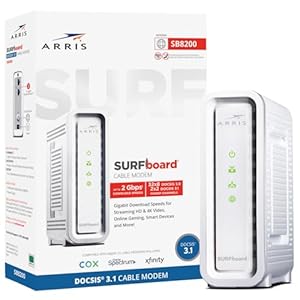
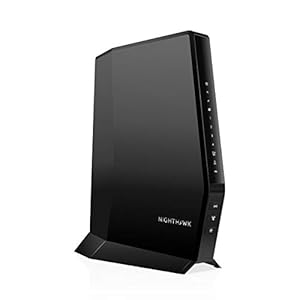
- Customers may use their own DOCSIS 3.1 compatible modem
- Approved modems listed on Cox’s website (Motorola, ARRIS, Netgear models)
Cox Fiber Availability and Expansion
Cox fiber availability is currently concentrated in select neighborhoods within its largest markets. As of early 2026, Cox FTTH is available or actively expanding in parts of:
- Arizona: Phoenix, Scottsdale, Tempe, Mesa, Chandler
- Virginia: Norfolk, Virginia Beach, Chesapeake, Hampton Roads
- Louisiana: Baton Rouge, New Orleans suburbs, Lafayette
- Oklahoma: Oklahoma City, Tulsa metro area
- Nevada: Las Vegas, Henderson, Reno
- Georgia: Parts of Macon, Savannah
Cox has stated its goal to bring fiber to a majority of its service footprint, but the rollout is gradual. Most Cox customers still receive service over the company’s DOCSIS 3.1 cable network, which delivers speeds up to 1 Gbps.
Cox Customer Service and Support
Cox provides customer support through multiple channels including phone, online chat, the Cox app, and in-person at Cox Solutions Stores. Phone support is available at . The Cox app allows customers to manage their account, pay bills, troubleshoot connectivity issues, restart their gateway, and check for outages in their area.
Cox also offers a 30-day money-back guarantee for new customers, providing a risk-free trial period to evaluate the service.
Cox Speed Test Results: What to Actually Expect
Speed estimates based on FCC Measuring Broadband America reports and publicly available speed test data. Actual speeds vary by location, network congestion, equipment, and wiring quality.
Cox vs. Competitors: How Does It Stack Up?
In most of Cox's markets, customers have at least one alternative provider. Here is how Cox compares to the most common competitors in terms of starting price, top speed, data caps, and contract requirements:
| Provider | Starting Price | Top Speed | Data Cap | Contract Required | Technology |
|---|---|---|---|---|---|
| AT&T Internet | $55/mo | 5 Gbps | None (fiber) | No | Fiber / DSL |
| Frontier Fiber | $49.99/mo | 5 Gbps | None | No | Fiber |
| CenturyLink | $30/mo | 8 Gbps | None (fiber) | No | Fiber / DSL |
| T-Mobile 5G | $50/mo | 245 Mbps | None | No | Fixed Wireless |
Want to see all providers at your address? to check availability or enter your ZIP code above.
Which Cox Plan Is Right for You?
Not sure which plan fits? and a representative can assess your needs and recommend the right tier.
Cox Installation: What to Expect
Cox offers two installation paths: professional installation and self-installation. Here is what each involves:
- Technician visits your home and sets up the gateway, verifies signal levels, and activates service
- Includes running new coaxial cable if needed
- Appointment windows are typically 2-hour blocks (morning or afternoon)
- Required for new construction or homes without existing Cox wiring
- Free professional installation promotions are sometimes available for new customers
Self-Installation (Free)
- You connect the gateway to an existing coaxial outlet and power it on
- Activation is completed through the Cox app or by calling
- Takes approximately 15-30 minutes for most customers
- Available only at addresses with existing Cox wiring in good condition
Cox Internet for Gaming: Performance Analysis
Online gaming requires low latency, consistent speeds, and minimal packet loss — not necessarily the fastest download speed. Here is how Cox performs for gaming on each plan:
- Latency: Cox cable plans average 10-18 ms latency to most game servers, which is excellent for competitive gaming. The fiber plan drops this to 3-8 ms.
- Packet loss: Cox's DOCSIS 3.1 network generally delivers less than 0.5% packet loss under normal conditions, which is within acceptable limits for competitive play.
Cox Bundles: Internet + Mobile
- Network: Runs on Verizon's 4G LTE and 5G network nationwide
- WiFi handoff: Automatically connects to Cox WiFi hotspots to save mobile data
- Requires: Active Cox internet subscription
Cox Internet for Working From Home
With remote work now a permanent part of many jobs, your internet plan directly impacts your productivity. Here is what to consider when choosing Cox for work from home:
- VPN connections: Corporate VPNs add 10-20% overhead. Factor this into your upload speed needs.
How to Save Money on Cox Internet
- Negotiate at renewal: When your promo rate ends, and ask for a new promotional rate. Cox regularly extends discounts to retain customers.
- Downgrade strategically: If your household reduces in size or your usage patterns change, dropping one tier saves $20/month ($240/year).
- Low-income programs: Cox ConnectAssist and the FCC's Affordable Connectivity Program (ACP) successor programs can significantly reduce monthly costs for qualifying households.
Bottom Line: Is Cox Worth It?
Ready to order? to speak with a Cox representative and check availability at your address.