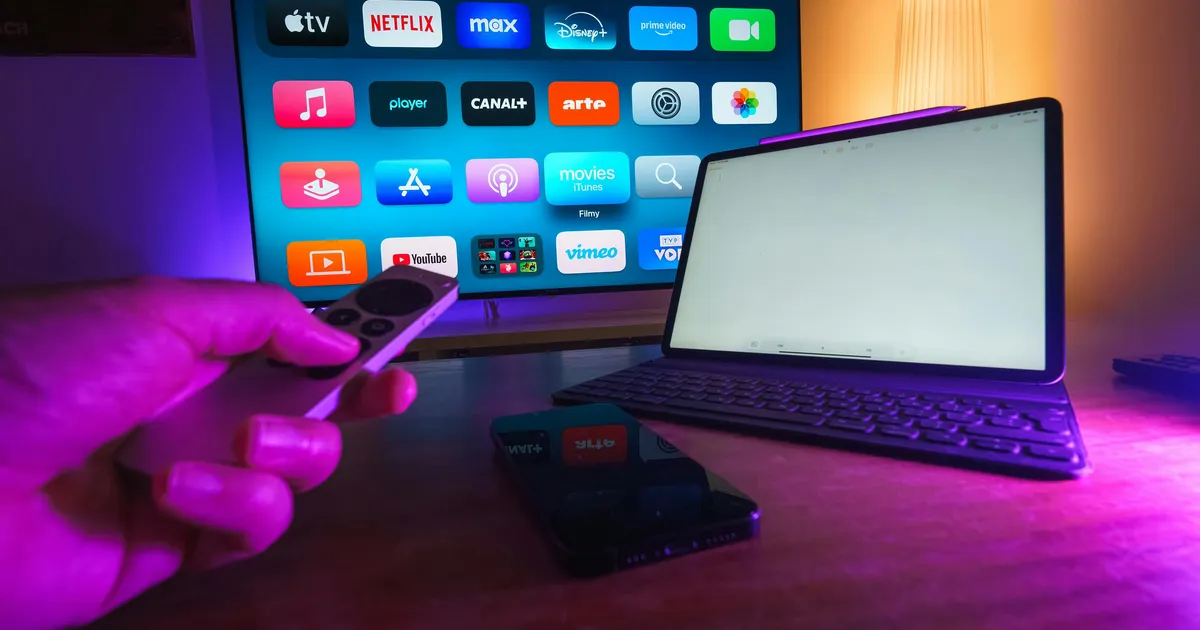
Streaming video, music, and live TV accounts for the majority of household bandwidth consumption. AT&T Fiber’s symmetric speeds, no data caps, and consistent performance make it one of the best internet services for streaming households. This analysis examines how AT&T’s internet plans perform with popular streaming services and how many simultaneous streams each plan can support.
Streaming Bandwidth Requirements
Different streaming services and quality levels require different amounts of bandwidth:
| Service/Quality | Bandwidth Per Stream | Max Streams on AT&T 300 |
|---|---|---|
| Netflix SD | 3 Mbps | 100 |
| Netflix HD (1080p) | 5 Mbps | 60 |
| Netflix 4K (UHD) | 25 Mbps | 12 |
| Disney+ 4K | 25 Mbps | 12 |
| YouTube 4K | 20 Mbps | 15 |
| YouTube TV (live) | 13 Mbps | 23 |
| Hulu Live TV | 13 Mbps | 23 |
| Spotify/Apple Music | 0.5 Mbps | 600 |
| Twitch (watching) | 6–10 Mbps | 30–50 |
Even AT&T’s base Internet 300 plan can handle 12 simultaneous 4K Netflix streams—far more than any household would realistically need. Bandwidth is almost never the bottleneck for streaming on fiber internet.
Which AT&T Plan for Streaming?
Casual Streamers (1–2 People)
Internet 300 ($55/mo) is more than sufficient. A couple streaming 4K on two TVs while one person browses on a laptop uses approximately 55 Mbps—a fraction of the available 300 Mbps.
Family Streaming (3–5 People)
Internet 300 ($55/mo) still works. Even with 4 simultaneous 4K streams plus gaming and web browsing, total usage peaks around 120–150 Mbps. The 300 Mbps plan provides ample headroom.
Heavy Households (5+ People, Smart Home)
Internet 500 ($65/mo) provides additional headroom for large households with multiple 4K TVs, gaming consoles, security cameras, and numerous smart home devices. The extra $10/month is worthwhile for eliminating any possibility of congestion.
Streamers Who Also Create Content
Internet 1000 ($80/mo) is ideal for households that both consume and create streaming content. The symmetric 1 Gbps upload speed handles Twitch streaming at 1080p/60fps while other household members stream 4K content simultaneously.
No Data Caps: Why It Matters for Streamers
A typical family of four streaming an average of 4 hours per day in HD/4K uses approximately 800 GB–1.2 TB per month. This puts them right at or above Xfinity’s 1.2 TB data cap, potentially triggering overage charges of up to $100/month.
AT&T Fiber has no data caps on any plan. You can stream as much as you want without monitoring your usage or worrying about overage fees. This alone can save data-cap-constrained households $30–$100/month compared to capped cable providers.
| Activity | Monthly Data Usage (est.) |
|---|---|
| 4K streaming, 3 hours/day | ~675 GB |
| HD streaming, 3 hours/day | ~135 GB |
| Gaming (online play) | ~50–100 GB |
| Game downloads (3 games) | ~150–300 GB |
| Video conferencing, 2 hrs/day | ~90 GB |
| Cloud backups | ~50–200 GB |
A household doing all of the above easily exceeds 1 TB/month. On AT&T Fiber, this is a non-issue.
Live TV Streaming Performance
Live TV streaming services (YouTube TV, Hulu + Live TV, Sling TV, fuboTV) are more sensitive to network quality than on-demand services because buffering is not an option—the content must arrive in real-time.
AT&T Fiber excels at live TV streaming because:
- Low latency (5–12 ms): Reduces channel switching time and minimizes delay compared to broadcast
- Consistent bandwidth: No peak-hour degradation means uninterrupted live sports and events
- No data caps: Live TV streaming can use 3–7 GB/hour, adding up quickly for cord-cutters who watch several hours daily
Cord-Cutting with AT&T Fiber
AT&T Fiber is an excellent foundation for cord-cutting. A typical cord-cutting setup:
| Service | Monthly Cost | Content |
|---|---|---|
| AT&T Fiber 300 | $55 | Internet connection |
| YouTube TV | $73 | Live TV, local channels, DVR |
| Netflix Standard | $15.49 | Movies, shows, 1080p |
| Disney+ Bundle | $14.99 | Disney+, Hulu, ESPN+ |
| Total | $158.48 |
This setup replaces a traditional cable + internet bundle (often $150–$250/month) with more content, more flexibility, and no contract. The reliable fiber connection ensures a seamless viewing experience.
Optimizing Your Streaming Setup
- Use 5 GHz or 6 GHz WiFi for streaming devices. These bands offer faster speeds and less interference than 2.4 GHz. Ensure your streaming device supports WiFi 6 or 6E.
- Use Ethernet for 4K streaming devices when possible. A wired connection to your Apple TV, Roku, or game console eliminates WiFi variability.
- Place the gateway centrally. If your gateway is in a corner, consider requesting WiFi extenders from AT&T or adding your own mesh system for whole-home coverage.
- Enable QoS if using a custom router. Quality of Service settings can prioritize streaming traffic over downloads and uploads.
- Update your streaming device firmware. Older firmware can cause buffering issues even on fast connections.
Which AT&T Plan Do You Need for Streaming?
Streaming is the primary internet activity for most households, and the right AT&T plan depends on how many screens are active simultaneously and what resolution you stream at:
HD Streaming (1080p) — 5 Mbps per stream
Most streaming services default to HD quality, which looks sharp on TVs up to 50 inches. At 5 Mbps per stream, AT&T Fiber 300 (300/300 Mbps) supports up to 60 simultaneous HD streams in theory — far more than any household would ever need. Even AT&T's most basic plans handle HD streaming effortlessly.
4K/UHD Streaming — 25 Mbps per stream
4K streaming requires significantly more bandwidth. Netflix, Disney+, Apple TV+, and Amazon Prime Video all support 4K on their premium tiers. At 25 Mbps per stream, a household streaming 4K on three TVs simultaneously needs 75 Mbps — well within AT&T Fiber 300's capability. However, factor in other household internet activity (gaming, video calls, downloads) and AT&T Fiber 500 ($65/month) provides more comfortable headroom.
Multiple 4K Streams + Gaming + Work From Home
If your household has 4K streaming on multiple TVs, online gaming, video conferencing, and large file downloads happening simultaneously, AT&T Fiber 500 or 1 GIG ($80/month) ensures zero competition for bandwidth. The 1 GIG plan is overkill for streaming alone but provides peace of mind that no activity will impact another.
AT&T Fiber vs. Cable for Streaming: Why Fiber Wins
Fiber connections have three specific advantages over cable that directly affect streaming quality:
- No data cap: AT&T Fiber has no data cap. A household streaming 4K for 6 hours daily uses approximately 4.5 TB per month — well over Xfinity's 1.2 TB cap but a non-issue on AT&T Fiber. Cord-cutters who have replaced cable TV with streaming need this headroom.
- No peak-hour slowdown: Cable networks slow down during evening hours when neighbors are streaming. This is precisely when you are most likely streaming. Fiber connections maintain consistent speeds regardless of neighborhood usage, meaning your 4K stream does not buffer at 8 PM.
- Lower latency: While latency matters more for gaming than streaming, lower latency reduces buffering when starting a stream, skipping forward, or switching between shows. Fiber's typical 3-8 ms latency versus cable's 10-30 ms means snappier navigation in streaming apps.
Optimizing Your AT&T Setup for the Best Streaming Experience
Even with a fast AT&T Fiber connection, your home setup can bottleneck streaming quality:
- Smart TV Wi-Fi vs. ethernet: If your TV supports ethernet and is near your router, use a wired connection. Smart TVs with Wi-Fi often cap at 100-300 Mbps over wireless, and interference from walls and other devices can cause buffering. A Cat 6 ethernet cable eliminates this variability for around $10.
- Streaming device matters: Older smart TV apps may not support the latest Wi-Fi standards. An Apple TV 4K, Roku Ultra, or Chromecast with Google TV supports Wi-Fi 6 and handles 4K streaming more reliably than built-in smart TV apps.
- Router placement for living areas: Place AT&T's gateway as close to your primary streaming TV as possible. If your main entertainment area is far from the gateway, consider AT&T's Wi-Fi Extender ($70-$100) or a third-party mesh system to ensure strong signal at your TV.
- Enable QoS for streaming: If your household has heavy gamers or downloaders competing for bandwidth, configure Quality of Service settings on your router to prioritize streaming traffic. This prevents a large download from causing buffering on your movie.
Streaming Service Compatibility and AT&T Perks
AT&T Fiber customers may be eligible for streaming perks:
- HBO Max / Max: AT&T occasionally offers promotional access to Max (formerly HBO Max) for fiber subscribers. Check current AT&T promotions when signing up.
- All streaming services work equally well: Netflix, Hulu, Disney+, Amazon Prime, YouTube TV, Sling, Peacock, Paramount+, Apple TV+, and all other streaming services work seamlessly on AT&T Fiber. AT&T does not throttle or prioritize any streaming service over another.
- Live TV streaming: Services like YouTube TV ($73/month), Hulu + Live TV ($77/month), and Sling TV ($40+/month) are popular cord-cutting choices for AT&T Fiber customers who want live channels. All work well on fiber connections, with fast channel switching due to fiber's low latency.
For all AT&T plan options, see our AT&T Internet plans and pricing page.
Frequently Asked Questions
Is AT&T Fiber good for streaming?
Excellent. The combination of fast symmetric speeds, no data caps, low latency, and consistent peak-hour performance makes AT&T Fiber one of the best internet services for streaming.
Can AT&T Fiber handle multiple 4K streams?
Yes. Even the base Internet 300 plan supports 12 simultaneous 4K streams. Bandwidth is not a bottleneck for streaming on any AT&T Fiber plan.
Will I hit a data cap streaming on AT&T Fiber?
No. AT&T Fiber has no data caps. You can stream unlimited content without overage charges or throttling.
Is AT&T Fiber better than cable for streaming?
Yes. Fiber’s consistent speeds during peak hours, no data caps, and lower latency make it superior to cable for streaming. Cable providers like Xfinity may impose data caps that affect heavy streamers.
Do I need the 1 Gbps plan for streaming?
For streaming alone, no. The 300 Mbps plan handles any streaming workload. The 1 Gbps plan is beneficial if you also game, upload content, or have many simultaneous heavy users. For plan details, see our AT&T plans guide.
Streaming service prices subject to change. Check AT&T availability at your address. Read our AT&T Fiber review. See our methodology.
AT&T Fiber vs. Cable for Streaming Reliability
While both fiber and cable can deliver sufficient bandwidth for streaming, fiber’s consistent performance provides a noticeably smoother experience. Cable internet’s shared bandwidth means that during peak evening hours—exactly when most households stream—speeds can drop by 5–15%. This drop can cause buffering on 4K streams or quality reduction on live TV services.
AT&T Fiber maintains 99–101% of its rated speed during peak hours because each connection is dedicated, not shared. You will never notice a difference between streaming at 2 PM and 9 PM on fiber. This consistency is especially important for live TV services (YouTube TV, Hulu Live, fuboTV) where buffering means missing live action—unlike on-demand services where a brief pause to buffer is tolerable.
Audio Streaming and Music Services
While video streaming gets the most attention, music streaming is ubiquitous in modern homes. Services like Spotify, Apple Music, Tidal, and Amazon Music require minimal bandwidth (0.5–3 Mbps per stream depending on quality settings), and AT&T Fiber handles any number of simultaneous music streams without impact.
Audiophile-quality streaming (Tidal Masters, Apple Music Lossless) uses up to 10 Mbps per stream, which is negligible on any AT&T Fiber plan. Even the most bandwidth-intensive audio format will not measurably affect your available internet capacity.
Gaming and Streaming Simultaneously
A common household scenario involves one person gaming online while another streams 4K video. On cable internet with 10–35 Mbps upload, the gamer may experience increased latency if the streamer is also uploading (for example, on a video call or uploading clips). On AT&T Fiber with 300–5,000 Mbps symmetric, these activities never compete for bandwidth.
For households with both gamers and streamers, AT&T Fiber’s symmetric speeds eliminate the common complaint of “who is using all the bandwidth” that plagues cable internet households. Everyone can do what they want simultaneously without affecting each other’s experience.
Smart TV and Streaming Device Recommendations
To get the most from AT&T Fiber when streaming, ensure your devices support modern WiFi standards:
- Apple TV 4K (3rd gen): WiFi 6 support, delivers smooth 4K HDR streaming
- Roku Ultra: WiFi 6, Ethernet port for wired 4K streaming
- Amazon Fire TV Stick 4K Max: WiFi 6E for best wireless performance
- Google Chromecast with Google TV (4K): WiFi 6, seamless Google ecosystem integration
- NVIDIA Shield TV Pro: Ethernet port, WiFi 5, best for Plex and local media streaming
For the absolute best streaming quality, connect your primary streaming device to the AT&T gateway via Ethernet cable. This eliminates WiFi variability and ensures maximum bandwidth for 4K HDR content with Dolby Atmos audio.
Cord-Cutting Cost Calculator
To help quantify the value of AT&T Fiber for cord-cutting, here are three common streaming setups at different price points:
Budget Setup (~$85/month total)
- AT&T Fiber 300: $55/month
- Netflix Standard with Ads: $6.99/month
- Disney+ Basic: $7.99/month
- Tubi (free): $0
- Over-the-air antenna (one-time $20–$40): $0/month
- Total: ~$70/month (plus local channels free via antenna)
Standard Setup (~$145/month total)
- AT&T Fiber 300: $55/month
- YouTube TV (live TV + DVR): $72.99/month
- Netflix Standard: $15.49/month
- Total: ~$143/month (replaces cable TV entirely)
Premium Setup (~$200/month total)
- AT&T Fiber 500: $65/month
- YouTube TV: $72.99/month
- Netflix Premium (4K): $22.99/month
- Disney Bundle (Disney+, Hulu, ESPN+): $14.99/month
- Max (HBO): $16.99/month
- Total: ~$193/month (comprehensive entertainment package)
Compare these to a typical cable bundle at $150–$250/month. Even the premium streaming setup costs less than most cable+internet packages while providing more content variety, no contracts, and the ability to cancel any service month-to-month. AT&T Fiber’s no-data-cap policy ensures none of this streaming counts against a usage limit.


