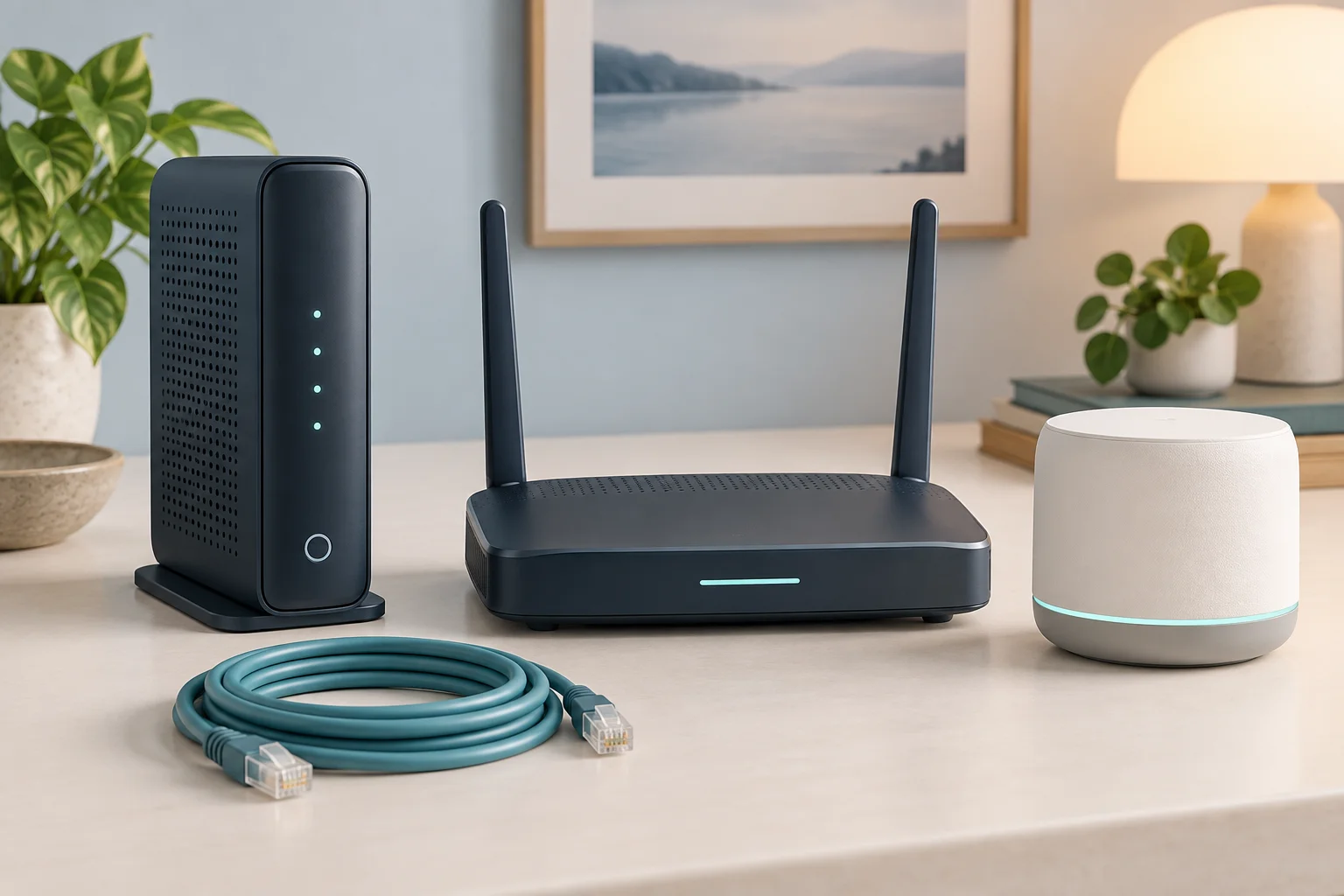
If you have cable internet, your provider likely charges $10–$14 per month to rent their modem-router combo. Over a few years, that adds up to hundreds of dollars for equipment you could buy outright. A modem-router combo (also called a gateway) replaces both the rented modem and your separate router with a single device. This guide covers the best modem-router combos for every major cable ISP in 2026.
Why Buy Your Own Modem-Router Combo?
The math is straightforward. At $12 per month in rental fees, you spend $144 per year. A quality modem-router combo costs $150–$300, meaning it pays for itself in 12–24 months. After that, you are saving over $100 per year for as long as the device lasts — typically 5–7 years.
Beyond cost savings, owning your own equipment gives you more control. ISP-provided gateways often have outdated WiFi standards, limited settings, and firmware you cannot update. Your own device means you choose the features, WiFi standard, and security settings. You can also avoid the hassle of returning rental equipment if you switch providers or move.
There are a few caveats. If your ISP bundles phone service (VoIP) with your internet, make sure any combo you buy supports it — most do not. Some ISPs also limit technical support for customer-owned equipment to the connection itself, not your device's WiFi. If you prefer having your ISP troubleshoot everything, renting may be worth the convenience.
DOCSIS 3.1 vs DOCSIS 3.0: Which Do You Need?
DOCSIS (Data Over Cable Service Interface Specification) is the standard that cable modems use to communicate with your ISP. The version matters because it determines your maximum speed and future compatibility.
DOCSIS 3.0 supports download speeds up to about 1 Gbps in theory, but real-world performance tops out around 600–700 Mbps depending on the number of channels. If your plan is 300 Mbps or less, DOCSIS 3.0 works fine and the devices are cheaper.
DOCSIS 3.1 supports multi-gigabit speeds and is required for plans over 600 Mbps. Even if your current plan is slower, DOCSIS 3.1 future-proofs your purchase. As ISPs roll out faster tiers, your modem will not be the bottleneck. Most new modem-router combos are DOCSIS 3.1 — we recommend it for any new purchase unless budget is extremely tight.
DOCSIS 4.0 is emerging but not widely deployed yet. Few consumer devices support it as of early 2026. It is not worth waiting for unless your ISP has announced specific DOCSIS 4.0 rollout plans in your area.
Compatibility by ISP
Not every modem works with every ISP. Cable providers maintain approved device lists, and using an unapproved modem can result in activation issues or degraded performance. Always check your ISP's approved modem list before buying.
Xfinity (Comcast)
Xfinity has the broadest compatibility list among cable ISPs. Most Arris, Motorola, and Netgear DOCSIS 3.1 gateways work. Xfinity charges $14/month for their xFi Gateway rental, making the savings case strong. Note that Xfinity's xFi Complete plan ($25/month) bundles the gateway with unlimited data — if you need unlimited data, compare the cost of buying your own modem plus paying for unlimited data separately.
Spectrum (Charter)
Spectrum does not charge a modem rental fee — they include a modem for free. However, they charge $5/month for their WiFi router. Buying your own modem-router combo saves the $5/month router fee ($60/year) and often provides better WiFi performance than Spectrum's included equipment. Spectrum requires DOCSIS 3.1 for plans over 300 Mbps.
Cox Communications
Cox charges $13/month for their Panoramic WiFi Gateway rental. They maintain a specific approved modem list on their website. Cox requires DOCSIS 3.1 for their Gigablast (1 Gbps) tier. Their approval list is more restrictive than Xfinity's, so verify compatibility before purchasing.
Mediacom
Mediacom charges $12/month for gateway rental and supports most major DOCSIS 3.1 modems. Their 1 Gig and 2 Gig plans require DOCSIS 3.1. Check Mediacom's approved equipment page for your specific plan tier.
Optimum (Altice)
Optimum charges $10/month for their Smart WiFi gateway. Compatibility is more limited than larger ISPs — Optimum has historically been restrictive about third-party equipment. Confirm with Optimum support before buying, especially in areas that have transitioned to fiber (which requires ISP-provided equipment).
Top 5 Modem-Router Combos for 2026
1. Motorola MT8733 — Best Overall
DOCSIS 3.1 | WiFi 6E | Up to 2.5 Gbps | ~$300
The MT8733 combines a DOCSIS 3.1 modem with a WiFi 6E tri-band router. The 6 GHz band provides fast, interference-free connections for newer devices, while the 2.5 Gbps Ethernet port handles wired connections that exceed gigabit speeds. It is compatible with Xfinity, Spectrum, Cox, and most other cable ISPs. This is the best gateway for anyone on a gigabit plan who wants a device that will remain capable for years.
2. Arris SURFboard SBG8300 — Best Value
DOCSIS 3.1 | WiFi 6 (AC2350) | Up to 1 Gbps | ~$180–$220
The SBG8300 has been a reliable workhorse for years. It supports plans up to 1 Gbps, has four Gigabit Ethernet ports, and works with Xfinity, Spectrum, Cox, and most other cable ISPs. WiFi performance is solid if not cutting-edge — it uses WiFi 5 (AC), which is adequate for most households. A proven, cost-effective choice.
3. Netgear CAX30 Nighthawk — Best WiFi 6
DOCSIS 3.1 | WiFi 6 (AX2700) | Up to 2.7 Gbps combined | ~$250–$300
The CAX30 brings WiFi 6 performance to a cable gateway. Dual-band AX2700 provides faster speeds and better performance with many connected devices compared to WiFi 5 alternatives. It supports plans up to about 2 Gbps and is approved for Xfinity, Spectrum, and Cox. Good choice for households with 15+ WiFi devices.
4. Motorola MB8611 + Separate Router — Best Modular Option
DOCSIS 3.1 Modem Only | Up to 2.5 Gbps | ~$150 (modem) + $80–$200 (router)
If you prefer separating your modem and router — which gives you more flexibility to upgrade each independently — the MB8611 is an excellent standalone DOCSIS 3.1 modem. Pair it with any WiFi 6 or WiFi 6E router you like. The 2.5 Gbps Ethernet port ensures the modem will not bottleneck even the fastest plans. Total cost is comparable to an all-in-one but with more upgrade flexibility.
5. Arris SURFboard SBG7600AC2 — Best Budget
DOCSIS 3.0 (32x8) | WiFi 5 (AC2350) | Up to ~600 Mbps | ~$120–$150
For plans at 300 Mbps or below, this DOCSIS 3.0 gateway gets the job done at the lowest price. It supports Xfinity, Spectrum, and Cox. WiFi 5 dual-band is sufficient for smaller households. At about $120, it pays for itself against a $12/month rental in just 10 months. Not recommended for plans above 300 Mbps.
How to Set Up Your Own Modem-Router Combo
- Confirm compatibility — Check your ISP's approved device list for your specific plan.
- Purchase the device — Buy from a retailer with a good return policy in case of compatibility issues.
- Connect the coaxial cable — Unscrew it from your old modem and connect it to the new one.
- Call your ISP to activate — You will need the device's MAC address and serial number (on the label). Activation takes 10–30 minutes.
- Configure your WiFi — Use the device's app or web interface (usually 192.168.0.1 or 192.168.1.1) to set your network name and password.
- Return the rental equipment — Get a receipt. Confirm the rental fee is removed from your next bill.
The entire process typically takes under an hour. If you are looking for more ways to reduce your monthly bill, see our guide on how to lower your internet bill.
What About Fiber and DSL?
Modem-router combos are specifically for cable internet (coaxial connections). If you have fiber (AT&T Fiber, Verizon Fios, Google Fiber), your ISP provides an ONT (Optical Network Terminal) that converts the fiber signal — you cannot replace it. You can, however, use your own router connected to the ONT.
For DSL, modem-router combos exist but the market is small since DSL is declining. If you have DSL, a separate DSL modem plus your own router is usually the better path.
Frequently Asked Questions
Will my ISP still provide support if I use my own modem?
ISPs will support the connection to your home and verify your modem is receiving the correct signal levels. They generally will not troubleshoot your WiFi settings, device connectivity, or hardware issues on a customer-owned device. For most people comfortable with basic tech setup, this is not an issue.
How long do modem-router combos typically last?
A quality gateway lasts 5–7 years. DOCSIS standards change slowly — DOCSIS 3.1 has been current since 2016 and will remain relevant for years. WiFi standards evolve faster, so the router portion may feel dated before the modem portion does.
Can I use my own modem with any cable ISP plan?
Most plans allow customer-owned modems, but some ISPs restrict it on their highest tiers or bundled plans. Always verify with your ISP before purchasing. Some promotional pricing may also require using ISP equipment.
What if I switch ISPs — can I keep using the same modem?
If your new ISP also uses cable (DOCSIS), your modem will likely work — just call the new ISP to activate it. If you switch to fiber or fixed wireless, you will need different equipment. This is another advantage of owning: no equipment return hassles when switching.
Should I buy a combo unit or separate modem and router?
A combo unit is simpler (one device, one power cord, one setup). Separate devices give more flexibility — you can upgrade the router without replacing the modem, and standalone routers generally have better WiFi performance than combo units at the same price point. If you have a simple setup and want convenience, go combo. If you want the best possible WiFi or plan to upgrade components independently, go separate.
Do I need DOCSIS 3.1 if my plan is only 200 Mbps?
You do not strictly need it, but we recommend it. DOCSIS 3.1 devices are only $20–$50 more than DOCSIS 3.0 equivalents and will support faster plans if you upgrade later. Given that you will likely keep the device for 5+ years, the small premium for future-proofing is worthwhile.
Understanding Modem-Router Combos: When They Make Sense
A modem-router combo (also called a gateway) combines two devices into one: the modem that connects to your ISP's network and the router that creates your home WiFi network. While separate devices offer more flexibility, a combo unit simplifies setup and reduces cable clutter.
Combo vs. Separate Devices: The Tradeoffs
| Factor | Combo Device | Separate Modem + Router |
|---|---|---|
| Setup complexity | Plug in one device | Two devices to configure |
| Cable clutter | Less (one power, one coax/fiber) | More (extra Ethernet between devices) |
| Upgrade flexibility | Must replace entire unit | Can upgrade router or modem independently |
| WiFi performance | Often adequate | Dedicated routers typically perform better |
| Price | $100-$250 for quality unit | $60-$120 modem + $80-$200 router |
| Heat management | Generates more heat in one enclosure | Better heat dissipation across two units |
ISP Compatibility: What to Check Before Buying
Not every modem-router combo works with every ISP. Before purchasing, verify these compatibility factors:
- Cable providers (Spectrum, Xfinity, Cox) — Need a DOCSIS 3.1 modem. Check your ISP's approved device list. Spectrum and Xfinity both publish lists of compatible modems on their websites. DOCSIS 3.0 modems still work but cannot support speeds above ~600 Mbps.
- Fiber providers (AT&T, Verizon Fios, Google Fiber) — Fiber connections require the ISP's ONT (optical network terminal), which you cannot replace with a third-party device. However, you can often connect your own router to the ONT's Ethernet port, bypassing the ISP's WiFi. AT&T Fiber is an exception — it requires its own All-Fi gateway in most configurations.
- DSL providers (CenturyLink DSL, Windstream DSL) — Need a DSL modem, which is a different technology than cable. DSL modem-router combos are available but less common since DSL is being phased out in favor of fiber.
Key Specifications to Compare
When evaluating modem-router combos, focus on these specifications:
- DOCSIS version — DOCSIS 3.1 is the current standard. Supports multi-gigabit speeds and is compatible with all major cable ISPs. Avoid DOCSIS 3.0 for new purchases.
- WiFi standard — WiFi 6 (802.11ax) is the current recommended minimum. WiFi 6E adds the 6 GHz band for less congestion. WiFi 7 is the latest but most expensive.
- Channel count — More downstream and upstream channels mean better performance during congestion. Look for 32x8 channel bonding at minimum for DOCSIS 3.1 devices.
- Ethernet ports — At least 4 Gigabit Ethernet ports for wired devices. Some premium units offer 2.5 Gbps or 10 Gbps ports for multi-gig internet plans.
- Processor and RAM — A dual-core or quad-core processor with 512 MB+ RAM ensures the device can handle 20+ connected devices without slowing down.
Cost Analysis: Own vs. Rent
The financial case for buying your own equipment is strong with most ISPs:
| ISP | Monthly Equipment Rental | Annual Cost | 2-Year Cost | Own Equipment Breakeven |
|---|---|---|---|---|
| Xfinity | $14/mo (gateway) | $168 | $336 | ~10-14 months |
| Cox | $14/mo (Panoramic WiFi) | $168 | $336 | ~10-14 months |
| Spectrum | $5/mo (router only) | $60 | $120 | ~16-24 months |
| AT&T Fiber | $0 (included) | $0 | $0 | N/A — keep ISP equipment |
| Verizon Fios | $15/mo (router) | $180 | $360 | ~8-12 months |
For Xfinity, Cox, and Verizon Fios customers, a quality $150-$200 modem-router combo pays for itself in about a year. Spectrum customers save less ($5/mo) since the modem is already free — the savings only apply to the router rental. AT&T Fiber customers generally should keep the included All-Fi gateway.
Frequently Asked Questions
Can I use my own modem-router combo with Spectrum?
Yes. Spectrum allows you to use your own DOCSIS 3.1 modem at no charge (the free modem is also available if you prefer). For the router portion, you can use any WiFi router instead of renting Spectrum's for $5/mo. Check Spectrum's approved modem list to ensure compatibility.
Is it better to buy a combo or separate modem and router?
For most users, a combo unit is simpler and more cost-effective. If you want the absolute best WiFi performance, high customization options, or plan to upgrade your router more frequently than your modem, separate devices are better. Power users and large households generally benefit from separate high-end devices.
How long does a modem-router combo last?
A quality modem-router combo typically lasts 4-6 years before needing replacement. WiFi standards advance every 3-4 years, and DOCSIS standards update every 5-7 years. If your ISP upgrades to DOCSIS 4.0 or you want the latest WiFi 7 features, you may choose to upgrade sooner.
Do modem-router combos work with fiber internet?
No. Cable modem-router combos only work with cable ISPs (Spectrum, Xfinity, Cox). Fiber internet uses an ONT provided by the ISP, and you connect a standalone WiFi router to it. If you have fiber, you only need a good WiFi router, not a modem-router combo.
For more on ISP equipment requirements, see our provider-specific guides: Spectrum, Xfinity, AT&T, and Verizon Fios. For help choosing an internet plan, use our quick internet selection guide.
Sources & Methodology
This article uses data from FCC Broadband Data Collection reports, U.S. Census Bureau demographics, and verified provider pricing and plan information. Pricing, speeds, and availability are verified against provider broadband nutrition labels and may vary by location. For a detailed explanation of our data collection and scoring process, see our methodology page.
Data Sources
- FCC Broadband Data Collection
- U.S. Census Bureau American Community Survey
- USAC Universal Service Fund
- NTIA Internet Use Survey
Last verified: March 2026. InternetProviders.ai is an independent resource. We may earn commissions from partner links — this does not affect our editorial recommendations. See our methodology for details.


