Which Internet Technology Is Best: Fiber, Cable, DSL, or 5G?
Fiber is the best internet technology overall, offering the fastest speeds (up to 8 Gbps), lowest latency (1-4ms), and highest reliability. Cable is the best widely available alternative at 300-2,000 Mbps. 5G home internet offers the best value at $40-60/month with no contracts. DSL is only recommended when no other option exists.
Internet Technology Comparison: Complete Breakdown
The four main internet technologies — fiber optic, cable (DOCSIS), DSL, and 5G/fixed wireless — each have distinct advantages and limitations. Your best option depends on availability at your address, speed needs, and budget. This comprehensive guide compares all four technologies across every metric that matters: speed, latency, reliability, price, and availability.
| Feature | Fiber | Cable | DSL | 5G Home |
|---|---|---|---|---|
| Max Download Speed | 8 Gbps | 2 Gbps | 100 Mbps | 300 Mbps |
| Max Upload Speed | 8 Gbps | 50 Mbps | 10 Mbps | 50 Mbps |
| Typical Latency | 1-4 ms | 10-30 ms | 25-50 ms | 25-50 ms |
| Price Range | $35-150/mo | $25-120/mo | $30-65/mo | $25-60/mo |
| Data Caps | None (usually) | 1-1.25 TB | None (usually) | None (usually) |
| Contracts | No (usually) | Sometimes | Sometimes | No |
| Equipment Fees | $0 (included) | $10-15/mo | $10-15/mo | $0 (included) |
| Reliability | 99.9% | 99.5% | 98% | 98-99% |
| US Availability | 43% | 89% | 92% | 55% |
| Best For | Everything | Streaming, families | Light use, budget | Value, no wired option |
Fiber Optic Internet
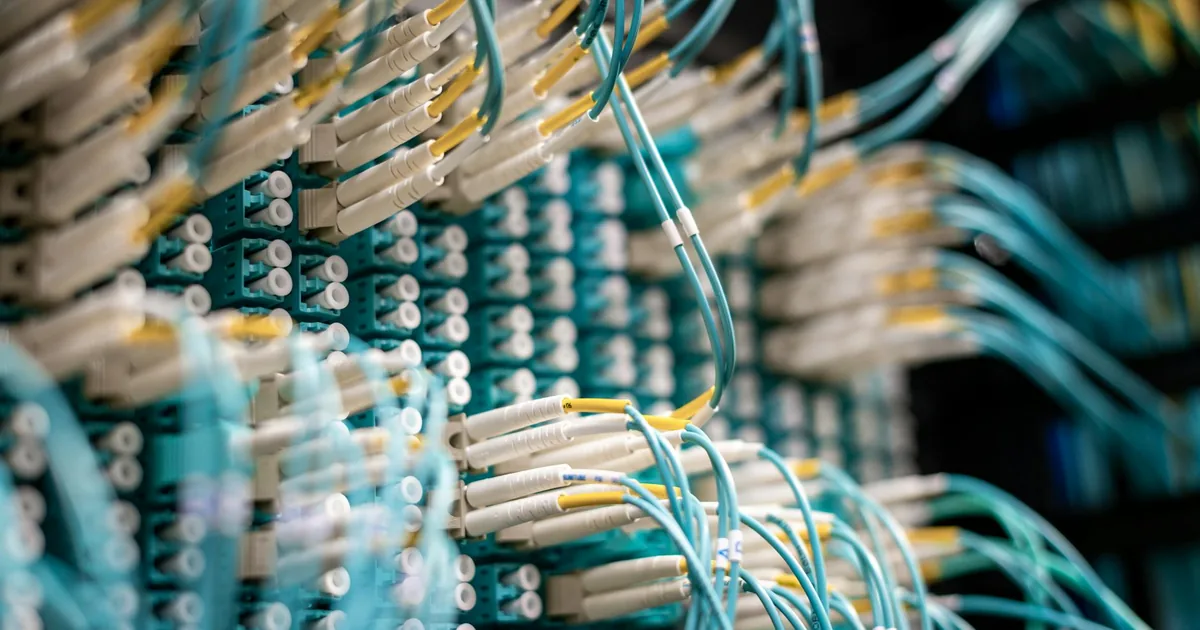
Fiber optic internet transmits data as pulses of light through glass strands, delivering the fastest, most reliable internet connection available. Fiber offers symmetrical upload and download speeds — a critical advantage for video conferencing, cloud backups, and content creation.
How Fiber Works
Fiber optic cables contain thin glass or plastic strands that carry data as pulses of laser light. Because light travels at near the speed of light through these strands, fiber achieves extremely low latency (1-4 milliseconds). The glass strands are immune to electromagnetic interference, which is why fiber is more reliable than copper-based technologies like cable and DSL. Most residential fiber uses Passive Optical Network (PON) architecture, with the latest XGS-PON standard supporting up to 10 Gbps symmetric speeds per subscriber.
Fiber Pros
- Fastest speeds available (up to 8 Gbps with Google Fiber)
- Symmetrical upload speeds (cable upload maxes at 35-50 Mbps)
- Lowest latency (1-4ms vs 10-30ms for cable)
- No data caps from most providers
- No equipment rental fees
- Price-lock guarantees (AT&T, Frontier, Google Fiber)
- Future-proof technology with decades of capacity headroom
- Not affected by weather or electromagnetic interference
Fiber Cons
- Limited availability (43% of US addresses)
- Higher entry price ($35-70/mo vs $25-30/mo for cable promos)
- Installation may require drilling/trenching
- Not available in most rural areas
- Installation can take 1-2 weeks to schedule
Top Fiber Providers
See our best fiber providers ranking for detailed comparisons. Top picks: Google Fiber (best overall), AT&T Fiber (widest coverage), Frontier Fiber (best value at $49.99/mo for 1 Gbps with no contract).
Cable Internet (DOCSIS 3.1)
Cable internet uses the same coaxial cables as cable TV, upgraded with DOCSIS 3.1 technology. It is the most widely available high-speed option, covering 89% of US addresses, but shares bandwidth with nearby subscribers, causing slowdowns during peak hours in congested neighborhoods.
How Cable Internet Works
Cable internet transmits data over coaxial copper cables using radio frequency signals. DOCSIS 3.1, the current standard, supports up to 10 Gbps download and 1-2 Gbps upload in theory, though no residential plans reach these maximums. Cable networks use a shared-medium architecture, meaning bandwidth is split among all subscribers connected to the same node. During peak evening hours (6-10 PM), this shared model can cause noticeable speed drops of 20-40% in heavily populated areas. The upcoming DOCSIS 4.0 standard aims to deliver 10 Gbps symmetric, narrowing the gap with fiber.
Cable Pros
- Widely available (89% coverage)
- Fast download speeds (up to 2 Gbps)
- Low promotional prices ($25-30/mo)
- Self-installation often available
- Existing infrastructure in most homes
Cable Cons
- Asymmetric speeds (upload capped at 35-50 Mbps)
- Speed congestion during peak hours (6-10 PM)
- Data caps on most plans (1-1.25 TB)
- Equipment rental fees ($10-15/mo)
- Promotional prices expire (40-65% increase after 12 months)
- Upload speeds insufficient for content creators and remote workers
Top Cable Providers
See our best cable providers ranking. Top picks: Xfinity (fastest), Spectrum (no data caps, no contracts), Cox (regional leader).
DSL Internet
DSL (Digital Subscriber Line) uses telephone copper wiring to deliver internet. Once the dominant broadband technology, DSL is now considered legacy infrastructure with speeds typically capping at 25-100 Mbps. Most major providers are phasing out DSL in favor of fiber.
How DSL Works
DSL transmits data over the same copper telephone lines used for landline phone service, using frequencies above the voice band. Unlike cable, DSL provides a dedicated connection — your bandwidth is not shared with neighbors. However, DSL speed degrades significantly with distance from the telephone exchange (central office). Customers within 1 mile typically get full speeds, while those 3+ miles away may only receive 5-10 Mbps. This distance limitation is the primary reason DSL cannot compete with cable or fiber on speed.
DSL Pros
- Widest availability (92% coverage)
- Dedicated connection (no shared bandwidth)
- Low cost ($30-50/mo)
- No data caps from most providers
- Uses existing phone line infrastructure
DSL Cons
- Slow speeds (maxing at 100 Mbps, typically 10-40 Mbps)
- Speed degrades with distance from telephone exchange
- Being phased out by most providers (AT&T, Frontier transitioning to fiber)
- High latency (25-50ms)
- Not suitable for multiple devices or 4K streaming
- No path to faster speeds — copper technology is at its limit
5G Home Internet
5G home internet uses cellular towers to deliver broadband-speed internet wirelessly to a plug-in gateway device. T-Mobile and Verizon are the primary providers, offering competitive speeds with no contracts, no data caps, and no equipment fees.
How 5G Home Internet Works
5G home internet connects a small indoor gateway device to nearby 5G cell towers using the same radio frequencies as 5G smartphones. The gateway converts the wireless signal to WiFi for your home. There are two types of 5G used for home internet: sub-6 GHz (wider coverage, typical speeds 100-300 Mbps) and mmWave (shorter range, speeds up to 1+ Gbps but requires near line-of-sight to a tower). Most 5G home internet customers connect via sub-6 GHz. Your gateway placement matters — positioning it near a window facing the nearest cell tower can improve speeds by 30-50%.
5G Pros
- No contracts or equipment fees
- Simple plug-and-play setup (no installation needed)
- No data caps
- Competitive pricing ($25-60/mo)
- Good speeds (100-300 Mbps typical)
- Portable — take it when you move
5G Cons
- Speed varies significantly by location and tower proximity
- Higher latency than wired connections (25-50ms)
- Can be affected by weather, buildings, and foliage
- Limited upload speeds (10-50 Mbps)
- Not available at all addresses (55% coverage)
- Speeds may decrease as more users connect to nearby towers
For a detailed comparison, see our 5G vs Cable comparison.
Total Cost of Ownership: 2-Year Comparison
Monthly price does not tell the full story. Equipment fees, promotional price expirations, and data cap overage charges can dramatically change the true cost. Here is a 2-year total cost comparison for each technology at comparable speed tiers:
| Provider | Technology | Monthly Price | Equipment | Year 2 Price | 24-Month Total |
|---|---|---|---|---|---|
| AT&T Fiber 300 | Fiber | $55/mo | $0 | $55/mo | $1,320 |
| Frontier 500 | Fiber | $49.99/mo | $0 | $49.99/mo | $1,200 |
| Xfinity 400 | Cable | $55/mo | $14/mo | $80/mo | $1,884 |
| Spectrum 300 | Cable | $50/mo | $0 (modem) | $75/mo | $1,500 |
| T-Mobile 5G | 5G | $50/mo | $0 | $50/mo | $1,200 |
| CenturyLink DSL | DSL | $50/mo | $15/mo | $50/mo | $1,560 |
Fiber and 5G home internet consistently deliver the lowest 2-year costs because they include equipment and do not raise prices after a promotional period. Cable internet appears cheap initially but becomes expensive once promotional rates expire and equipment rental fees accumulate.
Which Technology Should You Choose?
Choose Fiber If:
- It is available at your address (check with our availability tool)
- You want the fastest, most reliable connection
- You work from home or video conference frequently
- You have 5+ connected devices
- You want to avoid data caps and hidden fees
- Upload speed matters for your workflow
Choose Cable If:
- Fiber is not available in your area
- You need 200+ Mbps download speeds
- You primarily stream and browse (upload speed less important)
- You can use your own modem to avoid rental fees
- You are comfortable negotiating to maintain promotional rates
Choose 5G Home Internet If:
- You want the lowest-cost no-contract option
- Cable is your only wired alternative (and you want to avoid cable fees and contracts)
- You move frequently (portable, no installation)
- Your address has strong T-Mobile or Verizon 5G coverage
- You are a household of 1-3 with moderate usage
Choose DSL Only If:
- It is your only wired option
- You have light internet needs (email, basic browsing)
- 5G and satellite are too expensive
- You live close to a telephone exchange (within 1 mile for best speeds)
Technology Trends: What Is Coming Next
DOCSIS 4.0 (Cable)
The next major cable standard will deliver up to 10 Gbps download and 6 Gbps upload, significantly closing the gap with fiber. Xfinity and Cox have announced DOCSIS 4.0 deployments starting in late 2026, with wider availability expected in 2027. This upgrade uses existing coaxial infrastructure, meaning no new cabling is required.
25G-PON (Fiber)
The next fiber standard supports 25 Gbps downstream, up from XGS-PON's 10 Gbps. Ziply Fiber has already launched 25G-PON in the Pacific Northwest, offering 50 Gbps residential plans. Other providers are expected to follow by 2027-2028.
5G Advanced and 6G
5G Advanced (3GPP Release 18) is rolling out in 2026 with improved speeds and lower latency for fixed wireless. True 6G technology is expected around 2030, promising terabit-per-second wireless speeds — potentially eliminating the need for wired connections entirely.
Fiber Expansion via BEAD
The $42.5 billion BEAD (Broadband Equity, Access, and Deployment) program is funding fiber construction to underserved areas. By 2028, fiber availability is projected to increase from 43% to 65% of US addresses, dramatically expanding the areas where fiber is an option.
Frequently Asked Questions
Is fiber really that much better than cable?
Yes. Fiber offers 10-100x faster upload speeds, 3-10x lower latency, no data caps, no equipment fees, and price-lock guarantees. The only disadvantage is availability — fiber covers 43% of US addresses vs 89% for cable. Where both are available, fiber is the clear winner on every metric except initial promotional price.
Can 5G replace home internet?
For many households, yes. T-Mobile 5G Home Internet delivers 100-245 Mbps at $40-60/month with no contracts or data caps. It is sufficient for streaming, video calls, and families of 2-3. Heavy users, gamers (who need low latency), and large families may prefer wired connections for consistency.
Why is DSL still available?
DSL infrastructure (copper phone lines) is already deployed to 92% of US addresses. While providers like AT&T and CenturyLink are transitioning to fiber, the copper network will remain operational for years. For some rural areas, DSL remains the only wired option until fiber or 5G reaches them.
What internet type has the lowest latency?
Fiber optic has the lowest latency at 1-4 milliseconds, making it the best choice for online gaming, real-time video, and financial applications. Cable averages 10-30ms, DSL 25-50ms, 5G 25-50ms, and satellite 500-600ms.
Which internet type is best for gaming?
Fiber is the best internet type for gaming due to its low latency (1-4ms), high speeds, and reliability. Cable is a solid second choice with 10-30ms latency. 5G and DSL have higher, more variable latency that can cause lag. See our gaming internet guide.
Is satellite internet a fifth option?
Yes, satellite internet (Starlink, HughesNet, Viasat) is available everywhere but has high latency (20-600ms), higher costs ($50-120/mo), and data restrictions. It is the last resort for locations without wired or 5G coverage.
What speed do I need for streaming?
HD streaming requires 5 Mbps per device, 4K streaming requires 25 Mbps per device. A household of 4 with 2 simultaneous 4K streams, a video call, and general browsing needs approximately 100-150 Mbps. Any technology except DSL can comfortably deliver this.
Can I use my own equipment with any technology?
Fiber and 5G typically include equipment at no cost. Cable allows you to use your own DOCSIS 3.1 modem (saving $10-15/mo in rental fees) — check our speed guide for compatible models. DSL modems can sometimes be purchased separately. 5G home internet requires the provider's specific gateway device.
Sources & Methodology
This article uses data from FCC Broadband Data Collection reports, U.S. Census Bureau demographics, and verified provider pricing and plan information. Pricing, speeds, and availability are verified against provider broadband nutrition labels and may vary by location. For a detailed explanation of our data collection and scoring process, see our methodology page.
Data Sources
- FCC Broadband Data Collection
- U.S. Census Bureau American Community Survey
- USAC Universal Service Fund
- NTIA Internet Use Survey
Last verified: March 2026. InternetProviders.ai is an independent resource. We may earn commissions from partner links — this does not affect our editorial recommendations. See our methodology for details.


