What Starlink Actually Is
Starlink is SpaceX's low-Earth-orbit (LEO) satellite internet service, built specifically for one problem: no good wired option at the address. Instead of a handful of satellites parked in geostationary orbit roughly 22,000 miles up — the model older satellite providers like HughesNet and Viasat use — Starlink runs a large, growing constellation orbiting much closer to Earth. That shorter distance is the entire reason it behaves differently from legacy satellite: signal round-trip time drops enough to make video calls, VPN connections, and casual online gaming realistic over a satellite link in a way legacy geostationary service generally isn't.
If cable, fiber, or a strong fixed-wireless signal already reaches the home, that option will typically beat Starlink on price and match or beat it on real-world performance. If nothing wired reaches the address — deep rural, off-grid, recently built, or simply skipped by every wired buildout nearby — Starlink is often one of the few workable options on the table. This page is written for that decision, not to oversell the service where a wired alternative already exists.
How We Evaluated This Page
Every factual claim here is meant to trace to a dated, named source: SpaceX's own published plan and coverage pages, FCC Broadband Data Collection filings, and address-level availability checks. We don't carry numbers forward from memory or from competitor pages, and we don't average "typical" pricing across regions, because Starlink pricing and cell-level capacity vary by location and change without a fixed release cycle.
That's also why we intentionally don't publish specific dollar figures, speed tiers, data-cap language, or contract-length claims for Starlink on this page — a national number would be stale or wrong for a meaningful share of readers the moment it went live. If you need current pricing right now, the authoritative source is SpaceX's own plan page checked against your specific address: pricing shown there is provider-confirmed for that address, which is a higher confidence level than any national rate a comparison site can publish.
Availability: What "Starlink Is Available Here" Actually Means
Starlink is widely marketed as available across the U.S., but "available" isn't one thing — it spans a range of confidence levels, and conflating them is one of the most common ways comparison sites mislead readers:
- ZIP-estimate: a rough signal that service reaches somewhere in the ZIP code, based on aggregated coverage claims. Least reliable; says nothing about a specific address.
- FCC-reported: the provider has filed with the FCC's Broadband Data Collection that it can serve a given location. This is a regulatory filing, not a live commitment, and providers have historically over-reported reach in some filings.
- Provider-coverage: the provider's own coverage map or API shows the address inside a served area or satellite cell.
- Provider-confirmed-address: the provider has run an address-specific capacity and line-of-sight check and returned a live answer for that exact address.
- User-confirmed-orderable: an actual account has been opened or an order placed at the address, confirming the service is obtainable now, not just theoretically available.
Because Starlink's capacity is managed per satellite cell rather than per ZIP code, a neighbor's active service is a good sign but not proof — cell capacity can fill up between when they ordered and when a new address checks in. The most trustworthy answer for any single address lives at the provider-confirmed-address or user-confirmed-orderable level. Anything a satellite footprint map implies on its own is a ZIP-estimate or FCC-reported claim, not an address-level answer.
Who Starlink Makes Sense For — and Who It Doesn't
Starlink tends to be the right call for a fairly specific set of households:
- Rural or exurban homes with no cable or fiber buildout nearby and only slow DSL or legacy satellite as the alternative — see our rural internet guide for the broader picture.
- Off-grid or seasonal properties where running a wired connection isn't practical or cost-effective.
- New construction in areas where wired providers haven't finished a buildout yet.
- Households that have tried older satellite internet and found the latency unworkable for video calls, remote work, or online gaming.
- RV, boat, or other mobile/portable use — see our guide to internet for RVs and travel — where Starlink's portable plan class is a distinct product with its own terms (more on that below).
It tends to make less sense when a cable or fiber connection is already available at the address (those technologies generally deliver more consistent speed for less money), when a competitively priced fixed-wireless 5G home internet plan is available and sits between satellite and wired broadband on latency and price, or when the household's real need is very heavy simultaneous usage — shared-cell satellite capacity is the first thing that gets tight as usage climbs.
How Starlink Compares, Technology by Technology
Rather than assert Starlink is "the best satellite provider" without qualification, it's more useful to compare it against what a rural household is actually choosing between:
- Vs. legacy geostationary satellite (HughesNet, Viasat): Starlink's low-orbit design gives it meaningfully lower latency, which is the main practical difference — geostationary satellite's high round-trip time makes video calls and most online games difficult regardless of download speed. Raw download speed varies by plan and location in both categories; check current published figures for each rather than assuming either wins by default.
- Vs. fixed wireless (5G home internet from a carrier like T-Mobile Home Internet or Verizon 5G Home Internet): Fixed wireless uses cell towers rather than satellites, so performance depends on distance to a tower and local network congestion instead of sky visibility and satellite cell load. Where a household has strong cellular signal, fixed wireless can be a lower-cost, comparable-latency alternative worth checking before defaulting to satellite.
- Vs. cable and fiber (providers like Cox or AT&T Fiber): Wired technologies aren't really Starlink's competitive set — where they reach, they typically win on price and consistency. Starlink's value proposition is specifically for addresses wired broadband doesn't reach. Browse the full provider directory to see what else is sellable at your address before assuming satellite is the only option.
Any comparison on this page states its basis — latency vs. legacy satellite, price vs. fixed wireless, reach vs. wired — rather than a blanket "best" or "fastest" label, because which provider actually performs best depends on the technology being compared and the specific address.
Equipment and Setup: What Changes After You Sign Up
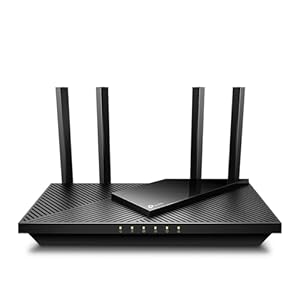
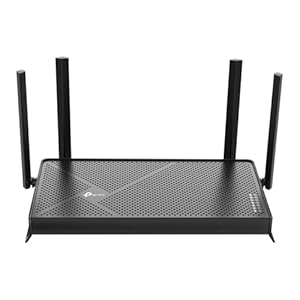
Starlink ships as a self-install kit — dish, mounting hardware, router, and cabling — rather than a professional truck-roll installation. Equipment purchase and rental options, and their cost, have changed more than once as SpaceX has adjusted its hardware pricing model, so check current terms directly on SpaceX's plan page for your address rather than relying on a fixed number here.
What matters more than the hardware cost is the mounting decision: performance is governed almost entirely by having a clear, unobstructed view of the sky in the directions the satellite constellation passes overhead. Trees, rooflines, and nearby structures cause intermittent dropouts even when the dish is otherwise correctly installed. SpaceX's own app includes an obstruction-mapping tool that should be run before final mounting, not after — a dish mounted in a partially obstructed spot is the single most common cause of disappointing real-world performance relative to what a household expected going in.
Living With Starlink: The Honest Post-Purchase Picture
Most Starlink complaints that surface after the first few weeks fall into a short, predictable list, and it's worth setting expectations before ordering rather than after:
- Peak-hour slowdown. Bandwidth in a given satellite cell is shared across everyone connected to it, so speeds are typically best late at night and slowest during early-evening peak hours, when more households in the same area are online at once. This varies by how built-out a given cell is, not by household.
- Weather sensitivity. Heavy rain, snow accumulation on the dish, or dense cloud cover can degrade or briefly interrupt service — a known characteristic of satellite internet generally, not a defect specific to a given install.
- New obstructions over time. Tree growth or new construction near the property can introduce obstructions that weren't present at install, gradually degrading a connection that worked fine initially.
- Portable vs. fixed confusion. Starlink's roaming/portable plan class and its fixed residential plan class are managed as separate products and may be prioritized differently. Read the terms for the specific plan class you're buying before ordering — a portable plan used as if it were a fixed residential connection may perform differently than expected, and vice versa.
- Support model. Starlink support is primarily app- and ticket-based rather than phone-first, a different experience than calling a traditional cable or telecom provider and an adjustment for some households.
None of these are reasons to avoid the service where it's genuinely the best available option at the address — they're the realistic operating picture rather than the marketing one, and a household that goes in expecting them tends to be far more satisfied than one that doesn't.
Questions Worth Asking Before You Order
- Is there a wired alternative (cable, fiber, or fixed wireless) at this exact address that hasn't been checked yet?
- What does an address-level, provider-confirmed check show for this specific location, rather than a general ZIP-level availability claim?
- What is the current published data policy, and does typical household usage fit comfortably within it?
- What is the current return or trial policy if the connection doesn't perform as expected at this specific address?
- Is a portable/roaming plan or a fixed residential plan the correct match for how the connection will actually be used?
How to Check Your Specific Address
Because Starlink capacity is managed per satellite cell rather than by a fixed national footprint, a ZIP-level estimate can never fully answer the question for one address. Run an address-specific check with the provider before ordering — that's the step that moves the answer up to the provider-confirmed-address level, and only a completed order confirms service at the user-confirmed-orderable level. Treat any broader claim of "available in your state" or "available in your ZIP" as a starting point for research, not a purchase decision.
Check availability at your address — see whether Starlink, or a wired alternative that might beat it on price, is actually sellable where you live.
Frequently Asked Questions
Is Starlink fast enough for video calls, cloud gaming, or remote work? Because Starlink's satellites orbit a few hundred miles up rather than the tens of thousands of miles used by legacy geostationary satellite internet, round-trip latency is low enough to support real-time uses like video calls and cloud gaming for most users. Performance still varies by time of day, cell congestion, and sky obstruction, so a single test at one time of day isn't a reliable predictor.
Do I need a professional installer, or can I set it up myself? Starlink is designed for self-installation: the kit ships with a mount, cabling, and a phone-app obstruction checker, and the dish self-orients once powered. Most residential customers install it themselves in an afternoon, though pole, roof, or permanent mounts sold separately may call for basic tools or a second pair of hands.
How is Starlink different from older satellite internet like HughesNet or Viasat? Older satellite providers use geostationary satellites tens of thousands of miles above the equator, which imposes latency high enough to make real-time activities feel laggy regardless of download speed. Starlink's low-Earth-orbit constellation sits a few hundred miles up, which is the mechanical reason it can support latency-sensitive uses that legacy satellite generally can't.
Does bad weather actually knock out the connection? Heavy rain and wet snow can attenuate the satellite signal enough to cause brief degradation or dropouts during the most intense parts of a storm — a normal characteristic of satellite links at these frequencies, not a defect. Clear-sky obstruction from trees, rooflines, or chimneys is a larger and more persistent factor than weather for most installations, which is why the pre-install obstruction check matters more than a weather forecast.
What's the difference between Starlink's roaming/portable plans and its fixed residential plan? They're managed as separate products with their own terms and may be prioritized differently on the network. A portable plan used as a full-time fixed connection, or vice versa, can perform differently than expected, so confirm which plan class actually matches how you'll use the connection before ordering.
Is Starlink a good option while I wait for fiber to reach my area? Yes for many rural addresses: because Starlink runs month-to-month with no multi-year lock-in, it can serve as a bridge connection while fiber buildout reaches a given road, and switching later carries no early-termination penalty on the satellite side. Whether fiber is actually coming to a specific address, and on what timeline, is a local buildout question — our BEAD-funded fiber buildout tracker and your region's broadband office are better sources than assuming a date.
How do I know if Starlink is actually available at my exact address, not just my ZIP code? A ZIP-level or FCC-reported "yes" is weaker evidence than a provider-confirmed-address result, since capacity is managed per satellite cell rather than by ZIP. Run an address-specific check with the provider — that's the only way to move from a general estimate to a live, address-level answer.
Bottom Line
Starlink earns its keep at addresses nothing wired reaches — it isn't trying to out-compete cable or fiber where those already exist, and it shouldn't be marketed that way. Confirm your exact address at the provider-confirmed level before ordering, understand which plan class (fixed or portable) actually matches your use case, and go in expecting peak-hour slowdown and weather sensitivity as normal rather than a defect. Households that do those three things tend to be the satisfied ones.