Quick Answer
If you're trying to figure out whether Frontier Fiber will feel good for online gaming, the headline download speed on your plan is not the number that matters most. What actually determines gaming performance is latency (ping), jitter (how much that ping bounces around), and the strength of your upload path — because game traffic is small, constant, and time-sensitive, not large and bursty like a video download. Frontier Fiber's fiber-optic architecture gives it structural advantages on all three fronts compared with cable, DSL, or satellite, but the ISP is only one leg of the trip your data takes to a game server. The rest of this page walks through why that's true, what you can and can't control, and how to set up your own connection so Frontier Fiber performs at its best for gaming.
Affiliate disclosure: We may earn a commission when you order through links on this page. Pricing, speeds, and availability vary by address and are subject to change; verify current terms with the provider before ordering.
Want help choosing? Talk to an internet specialist: 844-287-2645
Free consultation — compare plans and check availability at your address. No obligation.
Why Fiber Architecture Matters for Gaming
According to Frontier's own public network technology disclosures, Frontier Fiber is delivered over passive optical network (PON) architecture, which brings a fiber-optic line most of the way to your home rather than relying on the copper or coaxial infrastructure that cable and DSL providers still depend on for the "last mile." In plain terms, PON splits a single fiber strand from Frontier's local hub to serve a group of homes in a neighborhood, with each home getting its own dedicated logical connection over that shared physical fiber.
This matters for gaming in three specific ways. First, fiber has very low inherent latency compared with the electrical signal degradation and processing overhead that coaxial cable networks introduce. Second, fiber's architecture supports a stronger, often symmetrical, upload path — meaning the data you send out (your character's movements, actions, and inputs) doesn't have to compete for as much bandwidth as it does on networks where upload capacity is a fraction of download capacity. Third, fiber connections tend to have more consistent jitter behavior, because they aren't subject to the same interference, distance-based signal loss, or shared-node congestion patterns that plague copper-based networks.
None of this means Frontier Fiber will produce a specific number for your ping to any given game server — that depends on far more than the local network, as the next section explains. But structurally, fiber removes several of the common bottlenecks that cause lag spikes and inconsistent response times on other connection types.
Frontier's Network Path and What It Means for Ping
It helps to think of your connection to a game server as a relay with several legs, and Frontier Fiber only controls the first one. That first leg — the "last mile" from your home to Frontier's local network — is where fiber's advantages apply directly. From there, your traffic moves onto Frontier's regional and national backbone, then across peering connections to other networks, and finally onto the infrastructure the game publisher itself operates (their data centers, matchmaking servers, and any content delivery network they use).
Each of those additional legs introduces its own latency, and none of them are within Frontier's control. A publisher that under-provisions server capacity in your region, a peering relationship that routes traffic inefficiently between networks, or simple physical distance to the nearest game server can all add more delay than anything happening inside Frontier's own network. This is why two players with functionally identical home connections — including two Frontier Fiber subscribers in different metro areas — can see meaningfully different ping to the same game.
The honest takeaway: Frontier Fiber can give you a clean, low-latency, low-jitter starting point. It cannot guarantee a specific ping to a specific game, because the rest of the path is out of its hands. Any resource that promises an exact number without this caveat is oversimplifying.
Real-World Latency Reports and Limits of "Feel"
There's a real difference between an ISP's typical local network latency — the kind measured in aggregate, network-wide testing — and the ping a specific player sees to a specific game server on a specific night. Aggregate figures describe Frontier's network health in general; they don't describe your matchmaking session to a specific title's regional server, which can vary by time of day, server load, and routing changes that happen upstream of Frontier entirely.
Player-reported ping numbers for Frontier Fiber and gaming vary by title, region, and testing method — enough that no single aggregate figure would honestly describe your specific match tonight. Rather than relying on anecdotal reports or marketing claims from any provider, the more reliable approach is to self-test on your own connection, in the games you actually play. A few practical ways to do that:
- Use your game's in-client network diagnostics or ping display, if available, and record it over several sessions rather than a single snapshot.
- Run a wired-connection speed and latency test at different times of day to see how much your numbers move.
- Compare ping across two connection methods (e.g., wired Ethernet vs. Wi-Fi) on the same network to isolate whether an issue is upstream of your router or inside your home.
This kind of ongoing self-testing tells you far more about your actual gaming experience than any single published benchmark can.
Setting Up Your Home Network for Best Performance on Frontier Fiber
Because Frontier Fiber's last-mile connection is already low-latency, most of the remaining performance variability for gaming happens inside your own home — and it's the part you have the most control over.
Wired Ethernet vs. Wi-Fi. A wired connection from your gaming device to Frontier's gateway (or your own router) will almost always outperform Wi-Fi for jitter and packet loss, even on a strong wireless setup. Wi-Fi introduces variable interference from other devices, walls, and neighboring networks that a physical cable simply doesn't encounter. If low, stable ping matters to you, running an Ethernet cable to your console or PC is the single highest-impact change you can make.
ONT and gateway placement. Frontier's fiber service terminates at an Optical Network Terminal (ONT), which connects to a gateway/router. Where that gateway sits in your home affects Wi-Fi coverage and, indirectly, wired performance if you're relying on powerline or mesh backhaul instead of direct Ethernet runs. Central, open placement — away from thick walls and large appliances — improves wireless consistency for any devices that aren't hardwired.
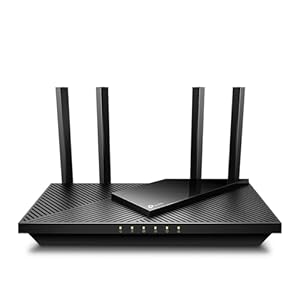
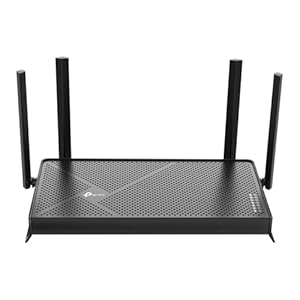
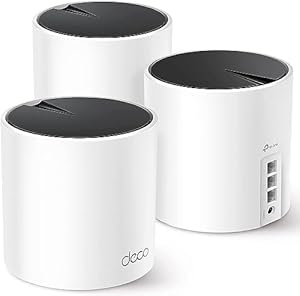
Frontier-provided equipment vs. your own router or mesh system. Frontier's supplied gateway is adequate for many households, but some gamers prefer pairing it in bridge mode with a personal router or mesh system for more granular control over Quality of Service (QoS) settings, port management, and network monitoring. Whether that upgrade is worth it depends on your household — a single gamer on a direct Ethernet connection may see little benefit, while a multi-device household with heavy simultaneous usage may see a real reduction in jitter and contention.
Frontier Fiber Plan Tiers and Gaming Use Cases
Frontier Fiber is typically offered in multiple plan tiers, often marketed under names oriented toward household size or usage level (entry-level, mid-tier, and top-tier options, depending on what's offered at your address). Rather than focusing on specific speed numbers, it's more useful to reason about tiers by use case:
- A solo gamer on a single device, primarily using the connection for gaming and light streaming, typically has more headroom on an entry-level or mid-tier plan than they might expect, since gaming itself uses relatively little bandwidth — what matters more is that the connection isn't shared with heavy simultaneous demand.
- A household running multiple gaming devices, 4K streaming, video calls, and smart-home devices simultaneously benefits more from a higher tier, not because gaming itself needs more bandwidth, but because contention for that bandwidth is what introduces jitter during peak usage.
- Competitive or latency-sensitive gamers may prioritize a tier with stronger symmetrical upload specifications if voice chat, streaming your own gameplay, or cloud-gaming services are part of your use case.
Tier availability, naming, and what's offered varies by address — always confirm which plan tiers are actually available at your specific location rather than assuming national marketing reflects local availability.
Post-Purchase Reality: Common Gaming Issues and Fixes
This is the part most comparison sites skip, because it's specific to living with the equipment rather than choosing it. A few issues come up repeatedly for gamers on fiber gateways generally, including Frontier's:
Double NAT. If you've added your own router behind Frontier's gateway without enabling bridge mode, you can end up with two layers of Network Address Translation, which frequently breaks port forwarding, causes NAT-type warnings in games and voice chat, and can introduce connection instability for peer-to-peer game traffic. The fix is usually to put Frontier's gateway into bridge mode (check current settings and instructions through Frontier's app or support) so your own router handles routing directly.
Firmware and app management quirks. Frontier's gateway is managed through a companion app or web portal, and firmware updates occasionally reset custom settings like port forwards, static IP reservations, or QoS rules. After any update, it's worth checking that gaming-related settings weren't reverted.
Wired backhaul for consoles. Consoles placed far from the gateway are often left on Wi-Fi by default. A wired run — even using a simple Ethernet-over-powerline adapter where running cable isn't practical — usually resolves inconsistent ping and packet loss complaints that get mistakenly blamed on the ISP.
When to escalate vs. fix at home. If self-testing (see the section above) shows consistent, reproducible latency or packet loss issues on a wired connection during off-peak hours, that's a reasonable point to contact Frontier support with your specific data. If the issue only appears during specific games, specific servers, or peak regional hours, it's more likely happening upstream of Frontier's network — in the publisher's infrastructure or peering path — and no amount of home network troubleshooting or ISP escalation will resolve it.
Frontier Fiber vs. Other Connection Types for Gaming
Comparing connection types only makes sense with an explicit basis stated up front — here, the basis is latency and jitter behavior specifically relevant to gaming, not overall speed, price, or availability. (See our fiber vs. cable comparison for the broader technology breakdown beyond gaming.)
Frontier Fiber vs. cable: Fiber's PON architecture generally produces lower and more consistent latency than cable's shared coaxial node structure, particularly during peak local usage hours when cable nodes can experience contention-driven jitter. Cable networks have improved substantially with DOCSIS upgrades, but the underlying shared-medium design still makes them more susceptible to neighborhood-level congestion than fiber.
Frontier Fiber vs. fixed wireless: Fixed wireless access depends on a radio link to a tower, which introduces latency and jitter sensitivity to weather, physical obstructions, and the number of other subscribers sharing that tower's capacity. Fiber's dedicated physical medium is inherently more stable for latency-sensitive traffic like gaming.
Frontier Fiber vs. satellite: Satellite internet, particularly geostationary satellite service, involves a physical round-trip to an orbiting satellite that adds substantial latency regardless of network conditions on the ground — a physics limitation, not a quality-control issue. Low-earth-orbit satellite services like Starlink have narrowed this gap but still generally show higher latency variability than fiber for real-time gaming traffic.
In every case, the comparison here is specifically about latency and jitter characteristics — not overall value, customer service, or price, which depend on factors outside this page's scope.
Is Frontier Fiber Available at Your Address?
Availability claims about any ISP should always come with a stated confidence level, because "available in your area" can mean very different things depending on the source:
- ZIP-estimate: A broad estimate based on ZIP code coverage data, useful for a first pass but not address-specific.
- FCC-reported: Coverage as reported by providers to the FCC's broadband data, which can lag real-world deployment and doesn't guarantee your specific address.
- Provider-coverage: The provider's own coverage map for your area, more current than FCC data but still not address-verified.
- Provider-confirmed-address: The provider has checked your exact address against their serviceable-location database — a meaningfully stronger signal than a coverage map.
- User-confirmed-orderable: You've gone through the order flow and confirmed a plan, tier, and installation window are actually available at your address — the only fully reliable confirmation.
National coverage maps and general availability claims are almost always ZIP-estimate or FCC-reported confidence, not address-confirmed. Because Frontier Fiber's build-out varies significantly by neighborhood and even by street, the only way to know your actual options is to check your specific address directly rather than relying on general area coverage claims.
Methodology and Sources
Claims on this page about Frontier Fiber's network architecture (PON, fiber-to-the-home delivery, symmetrical upload potential) reflect publicly documented fiber-optic network standards and Frontier's own network technology disclosures. Specific performance figures, plan tier details, and availability data change by market and over time, so this page does not commit to a fixed refresh cadence for them here. Where a claim depends on a number that changes over time — pricing, speed tiers, coverage — this page intentionally omits the figure and directs readers to verify current details directly with Frontier or through an address-level availability check, rather than publishing a number that could go stale without notice.
Frequently Asked Questions
Does Frontier Fiber support port forwarding for gaming? Yes, port forwarding is generally supported through Frontier's gateway settings, though the exact interface depends on your gateway model and whether it's in router mode or bridge mode. If you're running your own router behind Frontier's gateway, enabling bridge mode typically simplifies port forwarding and avoids double-NAT issues (see the setup section above).
Is Frontier's gateway good enough for gaming, or do I need my own router? Frontier's provided gateway is adequate for most gaming setups, especially on a wired connection. Upgrading to a personal router or mesh system mainly benefits households that need more granular QoS control, advanced port management, or better Wi-Fi coverage for devices that can't be wired.
Does Frontier throttle gaming traffic? As of this writing, Frontier's published network management disclosures do not describe gaming-specific traffic shaping distinct from its general network management practices, and this page makes no claim beyond what those disclosures state. If you suspect throttling, the self-testing approach described above (comparing wired vs. wireless, testing at different times of day) is a more reliable diagnostic than assuming throttling without data.
What's a realistic ping to expect on Frontier Fiber? There's no single realistic number, because ping depends heavily on the specific game, server region, and network path beyond Frontier's control — not just your local connection. See the "Real-World Latency Reports" section above for how to self-test rather than rely on a general figure.
Is a mesh Wi-Fi system worth it on fiber for gaming? It depends on your setup. If your gaming device can be hardwired directly to the gateway or a switch, a mesh system won't meaningfully improve gaming performance. If your device must rely on Wi-Fi and your home has coverage gaps, a well-configured mesh system can reduce the jitter and dropouts that come from poor wireless signal.
Does the plan tier I choose affect my gaming ping? Higher tiers generally provide more bandwidth headroom, which reduces the chance that other household activity competes with your game traffic during peak usage. However, tier alone doesn't directly lower ping to a specific game server — that's determined by the network path described earlier in this page.
Related Resources / Next Step
The most useful next step isn't reading another general gaming buying guide — it's confirming what's actually available at your address and how it applies to your setup. Check Frontier Fiber availability and current plan tiers directly at your address, and visit our Frontier Fiber provider page for full, up-to-date plan and coverage details before making a decision.
Bottom Line
Fiber's architecture gives Frontier a structural edge on latency and jitter, but that edge only covers the first leg of the trip your data takes — the rest is publisher infrastructure and network path, which no ISP controls. Wire your device, check your own numbers, and treat any specific ping figure you see quoted for "Frontier Fiber gaming" as marketing rather than a promise for your address.