Bottom Line Up Front
Starlink is worth it mainly for one reason: it's the only real option in places wired broadband doesn't reach, or reaches badly. If a fiber or cable line already runs to your house and it's working, switching to satellite internet is a step down on latency, upload speed, and weather reliability — full stop. If nothing wired serves your address, or the only wired option is an old DSL line struggling to keep up, Starlink stops being a compromise and becomes the most practical choice available today. This page is built around that single decision: which bucket does your address fall into, and does that change soon.
Affiliate disclosure: We may earn a commission when you order through links on this page. Pricing, speeds, and availability vary by address and are subject to change; verify current terms with the provider before ordering.
Want help choosing? Talk to an internet specialist: 844-287-2645
Free consultation — compare plans and check availability at your address. No obligation.
How to Read the Comparison
Starlink, fiber, cable, and DSL aren't four tiers of the same thing — they're four different technologies with different physics behind them, and that's why a simple ranked list doesn't work here.
- Fiber sends data as light through glass strands. It has the lowest latency, the highest reliability, and — critically — matched upload and download performance.
- Cable shares coaxial infrastructure originally built for TV. It's fast and widely available in cities and suburbs, but it can slow down during peak local usage and its upload speeds lag well behind download.
- DSL runs over old copper phone lines. It's the most limited of the wired technologies, especially the farther a home sits from the provider's local equipment.
- Starlink is a low-Earth-orbit (LEO) satellite service. It doesn't need a cable run to your house at all, which is its entire value proposition — but it depends on an unobstructed view of the sky and is subject to network congestion in your area, same as any shared connection.
None of these is universally best. Each wins under specific conditions, which is what the next three sections walk through.
Starlink vs Fiber
This is the least competitive of the three matchups where fiber is actually installed. Fiber wins decisively on:
- Latency — fiber's signal travels through ground-based glass, while Starlink's signal has to make a round trip to a satellite in low Earth orbit and back, adding delay that's noticeable in video calls, online gaming, and any real-time application.
- Upload speed — fiber connections are typically symmetrical (upload matches download); satellite upload is meaningfully more constrained.
- Reliability — fiber isn't affected by rain fade, tree cover, or sky obstructions the way satellite service can be.
The one scenario where Starlink is the practical choice against fiber: fiber hasn't been built to your address yet. Fiber buildouts are slow and expensive per mile, and a lot of areas — including some suburban and exurban pockets — are stuck waiting years for a fiber provider to reach their street. If you're in that waiting position, Starlink can serve as your primary connection now, with a plan to switch once fiber actually lands (see the section below on tracking that timeline).
Starlink vs Cable
Cable is the matchup where "it depends on your household" matters most. For most urban and suburban households, cable wins on:
- Value for typical usage — cable providers have built out mature networks over decades, and pricing for mid-tier plans tends to be more competitive than satellite pricing for comparable performance. Current promotional pricing varies by address and by provider, so check what's actually quoted for your address rather than assuming a number here.
- Consistency in normal conditions — cable isn't affected by weather or trees the way a satellite dish is.
But cable has two real weaknesses worth naming plainly rather than glossing over:
- Upload ceiling — cable's asymmetrical design (much faster download than upload) can bottleneck anyone who works from home, streams, or uploads large files regularly.
- Peak-time congestion — because cable capacity is shared across a neighborhood node, speeds can dip during high-usage hours in dense areas. Contract lengths and data caps on cable plans also vary by provider and region — check current terms directly with the provider rather than assume a standard policy applies.
For a household with typical wired cable already installed and performing well, there's rarely a reason to switch to Starlink. The calculus changes only if your specific cable node is chronically congested or your household's upload needs (large file transfers, symmetric video conferencing) outstrip what your cable tier delivers.
Starlink vs DSL
This is the closest real contest, and the one where Starlink's advantage is easiest to make honestly. DSL performance depends heavily on the physical distance between a home and the phone company's nearest equipment — the farther away, the weaker the signal and the slower the connection. In many older or more rural service areas, DSL infrastructure hasn't been meaningfully upgraded in years.
Aging DSL is the segment Starlink most convincingly beats, for structural reasons rather than a single speed comparison:
- DSL's ceiling is fixed by copper-line physics and distance from the provider's hub; it doesn't improve without new infrastructure investment.
- Starlink's satellite constellation has continued to expand over time — but how that translates into performance at any specific address depends on local subscriber load in your coverage cell, so treat past network growth as context, not a guarantee of your experience.
- DSL reliability can degrade with line quality issues (moisture, age, distance) that are effectively unfixable without a new line being run.
If your only wired option is DSL and it's been slow or unreliable for a while, Starlink is worth serious evaluation. Confirm current DSL performance at your address with your existing provider before assuming Starlink is automatically faster — line quality varies enough by address that a blanket comparison isn't responsible here.
Who Starlink Actually Serves Well
Be honest about the audience: this is not "everyone," and treating it as a universal upgrade is exactly the kind of marketing overreach this page is trying to correct. Starlink makes the most sense for:
- Rural households with no wired broadband option, or where the only option is DSL performing well below the household's needs.
- Remote and mobile use cases — cabins, RVs, boats, and other settings where running a wired connection isn't feasible at all.
- Backup-connection use cases — households that already have a solid wired connection but want a satellite failover for outages, storms, or planned wired-network maintenance.
If you fall outside these categories — you have working fiber or cable and no specific reason to want a backup — the case for switching is weak. This page isn't trying to talk you into satellite internet; it's trying to help you figure out honestly whether your situation is one of the ones above. See our full rundown of the best satellite internet providers if Starlink turns out not to be the right fit.
What Changes as Fiber and Fixed Wireless Expand
Two things are actively narrowing the pool of households for which Starlink is the only practical option, and it's worth understanding both so you know when to re-check your own situation.
The BEAD program (Broadband Equity, Access, and Deployment) is a federal effort directing funding to states to build out broadband — often fiber — in areas that currently lack it. Timelines vary significantly by state and are subject to change; specific funding amounts and completion dates aren't reliable enough to quote here, so check your state's broadband office directly for the current status of any build near you.
Fixed-wireless home internet (delivered over cellular networks, marketed by several major carriers as a home internet product) is also expanding into areas that previously had only DSL or satellite as options. Where available, fixed wireless is generally easier to install than fiber and can be a middle option between DSL-level and cable-level performance — though its performance depends heavily on cell tower proximity and local network congestion, similar to how Starlink depends on satellite capacity in your area.
The practical takeaway: if you're choosing Starlink today because nothing wired serves you, that shouldn't be treated as a permanent decision. Set a reminder to re-check availability at your address every six to twelve months, particularly if you know a BEAD-funded build or a carrier's fixed-wireless rollout is planned anywhere near your area. Our Starlink availability tracker is a reasonable place to start that recheck.
Post-Purchase Reality of Starlink
The comparison tables on other sites stop at specs. Here's what actually happens after you sign up, because it affects whether the switch is worth it in practice.
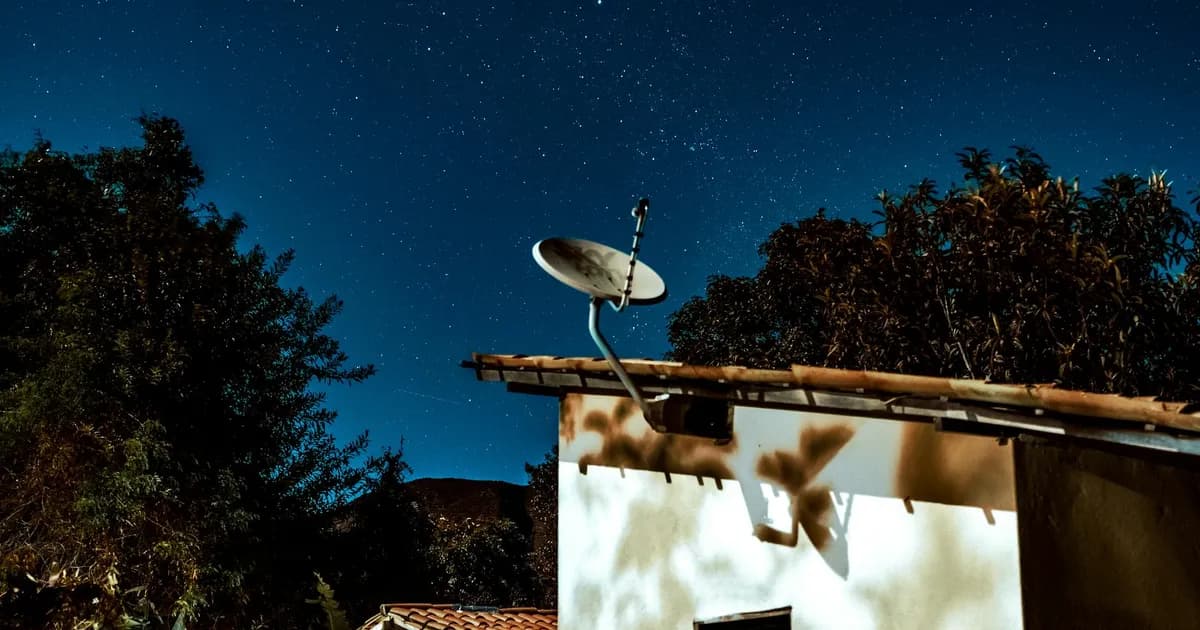
- Equipment setup — Starlink ships a dish and router that you self-install. It needs a genuinely clear view of the sky; even partial obstruction from trees, roof lines, or neighboring structures can cause outages or degraded performance. Use the provider's own obstruction-check tool during setup, not a guess from standing in your yard.
- Weather sensitivity — heavy rain, snow accumulation on the dish, and severe storms can all interrupt service. This isn't unique to Starlink among satellite services, but it's a real difference from buried or aerial wired lines, which are generally more weather-resistant.
- What to expect in month one — expect some initial troubleshooting around dish placement and mounting, a period of getting used to higher latency if you're coming from fiber or cable, and variable performance depending on how many other Starlink subscribers are active in your local coverage cell. None of this is disqualifying, but it's not a plug-and-forget experience the way a professionally installed wired connection often is. For a deeper look at real-world performance, see our full Starlink review and Starlink provider page.
Checking What's Actually Available at Your Address
This is the step most comparison content skips, and it's the one that actually determines whether anything above applies to you. Availability information comes in different levels of confidence, and conflating them leads people to make decisions on bad information:
- ZIP-estimate — the loosest level. A ZIP code can span many different infrastructure realities; "available in your ZIP" does not mean available at your specific address.
- FCC-reported — based on provider filings to the FCC's national broadband map. More granular than ZIP-level, but still self-reported by providers and can lag real-world buildouts.
- Provider-coverage — a provider's own coverage map or footprint claim for your area, generally more current than FCC filings but still not address-specific.
- Provider-confirmed-address — the provider has checked your specific address against their network records and confirmed service is technically available there.
- User-confirmed-orderable — the strongest level: you've gone through an actual order or account-setup flow and the provider has confirmed you can be provisioned and installed.
A quick online availability check typically gives you ZIP-estimate or provider-coverage confidence — useful for narrowing options, but not the same as knowing you can actually order and get installed. Before making a final decision between Starlink and a wired option, push to the provider-confirmed-address or user-confirmed-orderable level, especially if you're near the edge of a service area or a fiber buildout boundary.
How This Comparison Was Put Together
In plain terms: this page compares the four technologies — LEO satellite, fiber, cable, and DSL — on the dimensions that actually change household experience: latency, upload/download balance, weather and infrastructure reliability, typical availability patterns, and post-installation realities. The technology descriptions reflect how each type of network is built and how it behaves, which is stable information independent of any single provider's current plan lineup.
What this page does not do: quote live pricing, specific speed tiers, data caps, or contract terms, because those change by provider, by plan, and by region on a timeline this static page can't track in real time. Anywhere a specific figure would normally appear, you'll find guidance pointing you to check current terms directly with the provider or through an address-level availability check — that's a deliberate choice, not an oversight. This page also does not include lab-tested speed benchmarks; comparisons here are based on how each technology is designed to perform, not a specific test run under specific conditions.
FAQ
Is Starlink better than cable?
Not for most households that already have working cable. Cable typically offers better value and more consistent performance for standard households, while Starlink's advantage is mainly for addresses cable doesn't reach or where cable service is unusually congested.
Is Starlink faster than fiber?
No, not on the dimensions that matter most for everyday use. Fiber has structurally lower latency and generally matched upload/download speeds, both of which satellite service can't fully replicate due to the physics of signal travel to and from orbit. Starlink's advantage over fiber is availability where fiber hasn't been built, not raw performance where fiber exists.
Should I switch from DSL to Starlink?
If your DSL service is slow due to distance from your provider's equipment or aging line infrastructure, Starlink is worth evaluating seriously — this is the matchup where Starlink's case is strongest. Confirm your current DSL performance and check Starlink availability at the provider-confirmed-address level before deciding.
Will expanding fiber or BEAD-funded builds make Starlink unnecessary for me?
Possibly, over time, if a build reaches your specific address — but timelines vary widely by state and project, and a planned build isn't the same as a completed one. If you're currently on Starlink because nothing wired serves you, it's worth rechecking availability at your address periodically rather than assuming your options are permanent.
How do I know if Starlink is actually available at my house, not just my area?
Run an address-level check rather than relying on a ZIP-code lookup. ZIP-estimate and FCC-reported data are useful starting points, but only a provider-confirmed-address or user-confirmed-orderable result tells you whether the service can actually be installed where you live.
Is Starlink a good backup connection if I already have fiber or cable?
Yes, for many households this is Starlink's most defensible use case even with solid wired service in place — a satellite failover can keep you online during a wired outage, storm, or planned maintenance window. Weigh the added monthly cost against how much an outage would actually cost you in downtime.
Bottom Line
If you have working fiber, keep it — Starlink can't beat it on the dimensions that matter for most households. If you have working cable and no specific upload or congestion problem, there's little reason to switch. If your only option is aging DSL, or you have no wired option at all, Starlink deserves a serious look, especially as a bridge until a fiber or fixed-wireless build reaches your address. The one move that resolves most of the uncertainty above is checking what's actually available at your specific address, at the provider-confirmed-address or user-confirmed-orderable level, rather than relying on a ZIP-level estimate.