Getting internet set up in an apartment is not as straightforward as it might seem. Building contracts, limited provider options, and installation logistics can complicate what should be a simple process. This guide walks you through every step — from checking availability before you sign a lease to getting your connection up and running on move-in day.
Step 1: Check Availability Before You Sign the Lease
Do not assume every apartment has the same internet options. Provider availability varies by building, even within the same neighborhood. Before committing to a lease, check which providers serve the specific address. Enter the apartment's street address (including unit number if possible) on provider websites or use our availability checker.
Some buildings only have one wired ISP option due to the way cable and fiber infrastructure was built. Others may have two or three choices. Knowing your options before signing the lease prevents the unpleasant surprise of discovering your only option is a provider you wanted to avoid.
Ask the leasing office directly: "Which internet providers service this building?" They should know, and their answer may reveal important details about building agreements.
Step 2: Understand Building Internet Agreements
Many apartment buildings have agreements with ISPs that affect your options. Understanding these arrangements helps you navigate your choices.
Bulk Internet Agreements
Some buildings include internet in the rent through a bulk agreement with a specific ISP. The building negotiates a rate for all units, and internet is bundled into your monthly rent or charged as a mandatory amenity fee (typically $30–$60/month). You may not have a choice of provider in these buildings, but the rate is often lower than retail. Ask the leasing office if internet is included and at what speed.
Exclusive Marketing Agreements
Some buildings have exclusive marketing agreements where only one ISP is allowed to market in the building or be listed as the "preferred provider." Importantly, under FCC rules, buildings cannot legally prevent you from choosing a different provider that is willing and able to serve your unit. However, practically speaking, if only one provider has wiring installed in the building, alternatives may not be feasible without new infrastructure.
No Agreements (Open Access)
In open-access buildings, any provider serving the area can offer service. This gives you the most choices. Most older apartment complexes and smaller buildings fall into this category. You simply sign up with whichever provider you prefer.
Step 3: Questions to Ask Your Landlord or Leasing Office
Before signing up with any provider, get clarity from your building management:
- Is internet included in rent? If yes, which provider and what speed? Can you opt out and choose your own?
- Are there any exclusive provider agreements? If yes, you should still verify whether you can use an alternative.
- Is the building wired for fiber? Fiber availability in your building is a significant advantage — it usually means faster speeds and more provider competition.
- Where is the wiring closet or demarc point? This is where ISP lines enter the building. Knowing this helps with installation logistics.
- Are there any installation restrictions? Some buildings prohibit drilling holes or running cables through common areas. This matters for providers that need to install new lines.
- Is there an ethernet jack in the unit? Newer buildings may have ethernet jacks in each unit connected to a central point, simplifying setup.
Step 4: Choose Your Provider and Plan
Once you know your options, compare plans based on these factors:
Speed Needs by Household
Apartment living often means smaller spaces, which is actually good for WiFi coverage — you do not need a powerful router to cover a studio or one-bedroom. Speed needs depend on usage:
- 1 person, light use: 50–100 Mbps
- 1–2 people, streaming and work-from-home: 100–200 Mbps
- 2+ people, heavy streaming/gaming: 200–500 Mbps
- Multiple remote workers with video calls: 300+ Mbps
Contract vs No-Contract
If your lease is month-to-month or you might move within a year, a no-contract plan avoids early termination fees. No-contract internet options are available from most major providers, though the monthly rate may be slightly higher than contract plans. Providers like Spectrum never require contracts on residential plans.
Equipment Costs
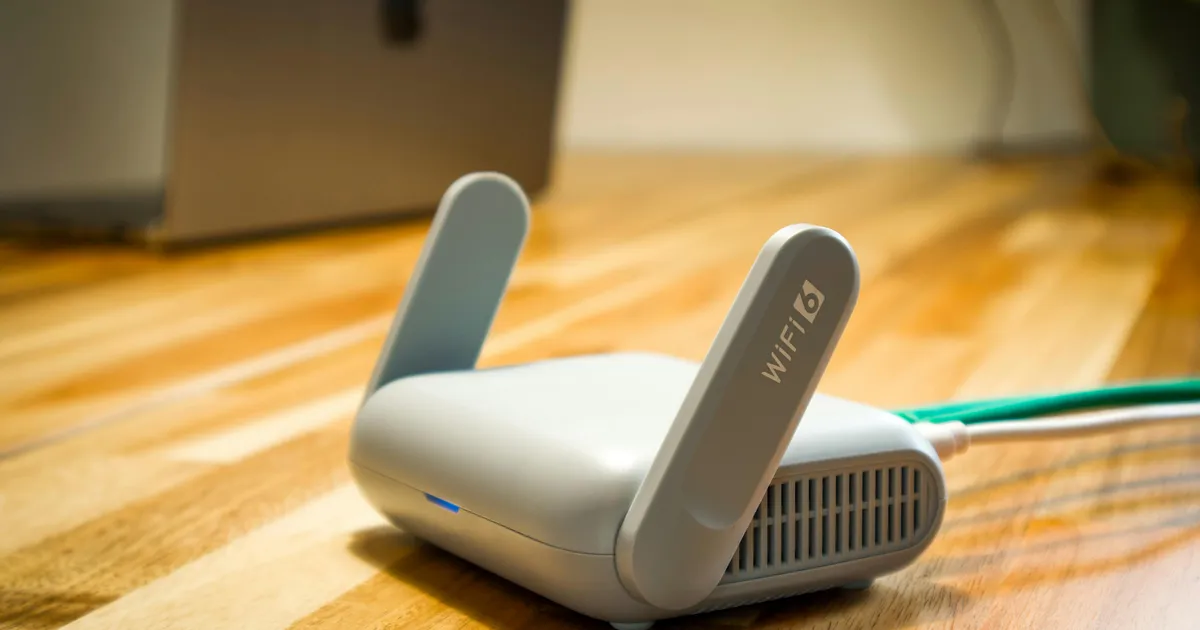
Factor in monthly equipment rental fees ($10–$14/month for most ISPs) or the one-time cost of buying your own router. In an apartment, a basic WiFi 6 router ($50–$100) covers the entire space easily — you do not need a mesh system or extenders for typical apartment square footage.
Step 5: Schedule Installation
Once you have chosen a provider, schedule installation as early as possible — ideally 1–2 weeks before your move-in date, especially during August/September and January when demand peaks near college towns and general moving season.
Self-Installation
If your apartment already has an active cable or fiber line (common in previously occupied units), many providers offer self-install kits. The provider ships a modem/router, and you connect it to the existing wall jack. Self-install is typically free or costs $10–$15 for the kit. This is the fastest and cheapest option, often available immediately without scheduling.
Professional Installation
If your unit needs new wiring, has never had service from your chosen provider, or you prefer hands-off setup, schedule a professional installation. Costs range from $0 (sometimes waived for new customers) to $100. The technician will verify the connection, install any needed wiring, set up equipment, and confirm everything works. Allow a 2–4 hour window.
For professional installation in an apartment, the technician may need access to the building's wiring closet or utility room. Coordinate with your leasing office to ensure the technician can access these areas during the appointment.
Step 6: Set Up Your Home Network
Once your internet is active, optimize your setup for apartment living:
Router Placement
In a studio or one-bedroom, placement is less critical since the space is small. In a two-bedroom or larger, place the router in a central location rather than in a back bedroom. Elevated positions (on a shelf, not on the floor) improve signal. Keep the router away from microwaves and other electronics that cause interference.
WiFi Security
In an apartment building, dozens of WiFi networks compete for the same airspace. Secure your network with WPA3 (or WPA2 if your devices do not support WPA3) and a strong password. Change the default network name so neighbors cannot easily identify your router model. Consider using the 5 GHz band for devices near the router — it is faster and less congested than 2.4 GHz in dense apartment environments.
Dealing with WiFi Congestion
Apartment buildings are dense WiFi environments. If your speed is significantly slower than what you are paying for, WiFi congestion from neighboring units may be the cause. Solutions include:
- Use the 5 GHz or 6 GHz band (shorter range but less interference)
- Change your WiFi channel to a less congested one (your router's admin panel usually has a channel scanner)
- Use Ethernet cables for stationary devices like desktops, gaming consoles, or streaming boxes
- Upgrade to a WiFi 6 or WiFi 6E router, which handles congestion better than older standards
Special Situations
Managed WiFi Buildings
Some newer apartment buildings offer building-wide managed WiFi — a single network covers all common areas and individual units. This is typically included in rent or an amenity fee. The advantage is zero setup on your part. The disadvantage is that you share bandwidth with the entire building, speed can be inconsistent, and you have no control over the network. If managed WiFi is your only option and it is inadequate, a cellular home internet solution like T-Mobile 5G Home Internet can supplement it without requiring any building wiring.
Short-Term or Furnished Apartments
If you are in a short-term rental (3–6 months), setting up traditional ISP service may not be worth the setup fee and hassle. Consider T-Mobile 5G Home Internet (no contract, bring it with you when you leave) or a mobile hotspot device. Some furnished apartments include internet — confirm before signing.
Moving Within the Same Building
If you are transferring units within the same complex, contact your ISP before moving. Most can transfer your service to the new unit without a new installation, though some charge a transfer fee. Do not just unplug your modem and move it — the connection may be tied to the specific jack in your old unit.
Frequently Asked Questions
Can my landlord force me to use a specific internet provider?
Under FCC rules, landlords cannot prevent you from accessing the provider of your choice. However, if only one provider has physical infrastructure (wiring) in the building, alternative providers may not be practically available without new installation. If internet is bundled into your rent through a bulk agreement, you may be paying for it regardless, but you can still sign up with an additional provider if you prefer.
What if my apartment does not have a cable or phone jack?
Newer apartments may not have traditional cable jacks if the building was built with fiber or wireless in mind. If your chosen provider needs a coaxial or phone jack and none exists, a professional installation can add one — but check with your landlord first about any restrictions on drilling or running new cables. Alternatively, wireless home internet (T-Mobile, Verizon 5G Home) requires no jacks at all.
How do I avoid paying for internet I am not using?
If internet is included in rent, you are paying regardless. If you have your own service, align your start and end dates with your lease as closely as possible. Xfinity and most other providers allow you to schedule a specific start date for service. When moving out, schedule a disconnection for your last day rather than the day you call to cancel.
Is 5G home internet a good option for apartments?
5G home internet is excellent for apartments. No installation, no wiring, no landlord permission needed — just plug in the gateway. Performance in apartments can actually be better than in houses since many apartment buildings are closer to cell towers in urban areas. The main limitation is coverage — check availability at your specific address before counting on it.
What should I do if my internet speed is much slower than advertised?
First, test with a wired Ethernet connection to rule out WiFi issues. If wired speeds are also low, contact your ISP — the issue may be with the building's wiring or the connection to your unit. If only WiFi is slow but wired is fine, the problem is likely WiFi congestion from neighboring apartments. Try changing WiFi channels, using the 5 GHz band, or upgrading your router.
Can I install a satellite dish on my apartment balcony?
Under FCC's Over-the-Air Reception Devices (OTARD) rule, tenants have the right to install small satellite dishes (under 1 meter) on balconies, patios, and other areas under their exclusive use. Your landlord cannot prohibit this. However, you cannot install a dish on the building's roof, exterior walls, or common areas without the landlord's permission. Satellite internet (like Starlink) dishes fall under this rule.
Related Guides
Sources & Methodology
This article uses data from FCC Broadband Data Collection reports, U.S. Census Bureau demographics, and verified provider pricing and plan information. Pricing, speeds, and availability are verified against provider broadband nutrition labels and may vary by location. For a detailed explanation of our data collection and scoring process, see our methodology page.
Data Sources
- FCC Broadband Data Collection
- U.S. Census Bureau American Community Survey
- USAC Universal Service Fund
- NTIA Internet Use Survey
Last verified: March 2026. InternetProviders.ai is an independent resource. We may earn commissions from partner links — this does not affect our editorial recommendations. See our methodology for details.


